Data Historian Security Best Practices for OT Networks
Data Historian Security Best Practices for OT Networks
Your data historian is one of the most valuable assets on your operational technology (OT) network — and one of the most exposed. It sits at the exact spot where the plant floor meets the enterprise: collecting thousands of process values from PLCs and SCADA systems, then serving that data to MES dashboards, quality reports, data analysts, and sometimes cloud applications. That bridging position makes it an attractive target. A compromised historian does not just leak process data — it can become a foothold for lateral movement into control networks, a vector for manipulating production records, or the starting point for ransomware that takes a line down for days.

Securing a historian is not the same as securing a typical IT database. The historian has to run continuously, talk to equipment that may be decades old, and tolerate maintenance windows measured in minutes rather than hours. The good news is that a disciplined, layered approach — network segmentation, strong access control, encrypted transport, hardening, monitoring, and tested recovery — covers most of the real risk. This guide walks through the best practices we recommend to plants running Empowered Automation Solutions historian software, and the reasoning behind each one.
Why Historians Are Attractive Targets
To understand what you are defending, think about what a historian holds and where it connects. A typical data historian stores years of time-series process data: temperatures, pressures, speeds, batch records, alarm histories, and operator actions. That data reveals your recipes, your yields, your production rates, and your downtime patterns — exactly the kind of intellectual property that industrial espionage targets.

Equally important is connectivity. The historian's data collection layer reaches down into Level 1 and Level 2 — PLCs, DCS controllers, OPC servers, plant-floor gateways — while its client layer reaches up toward MES, ERP, business intelligence tools, and remote users. An attacker who compromises the historian server gets both visibility into the process and a network position adjacent to control systems. Several well-known ICS incident reports describe exactly this pattern: the historian or its management workstation served as the beachhead, and the jump from there into the control network was short.
Finally, historians are high-availability systems that administrators are reluctant to patch or reboot. That operational reality makes them a durable, quiet place for an intruder to persist. Security controls that assume you can take the server offline at will will fail in this environment — so every practice below is designed around continuous operation.
Put the Historian in the Right Network Zone
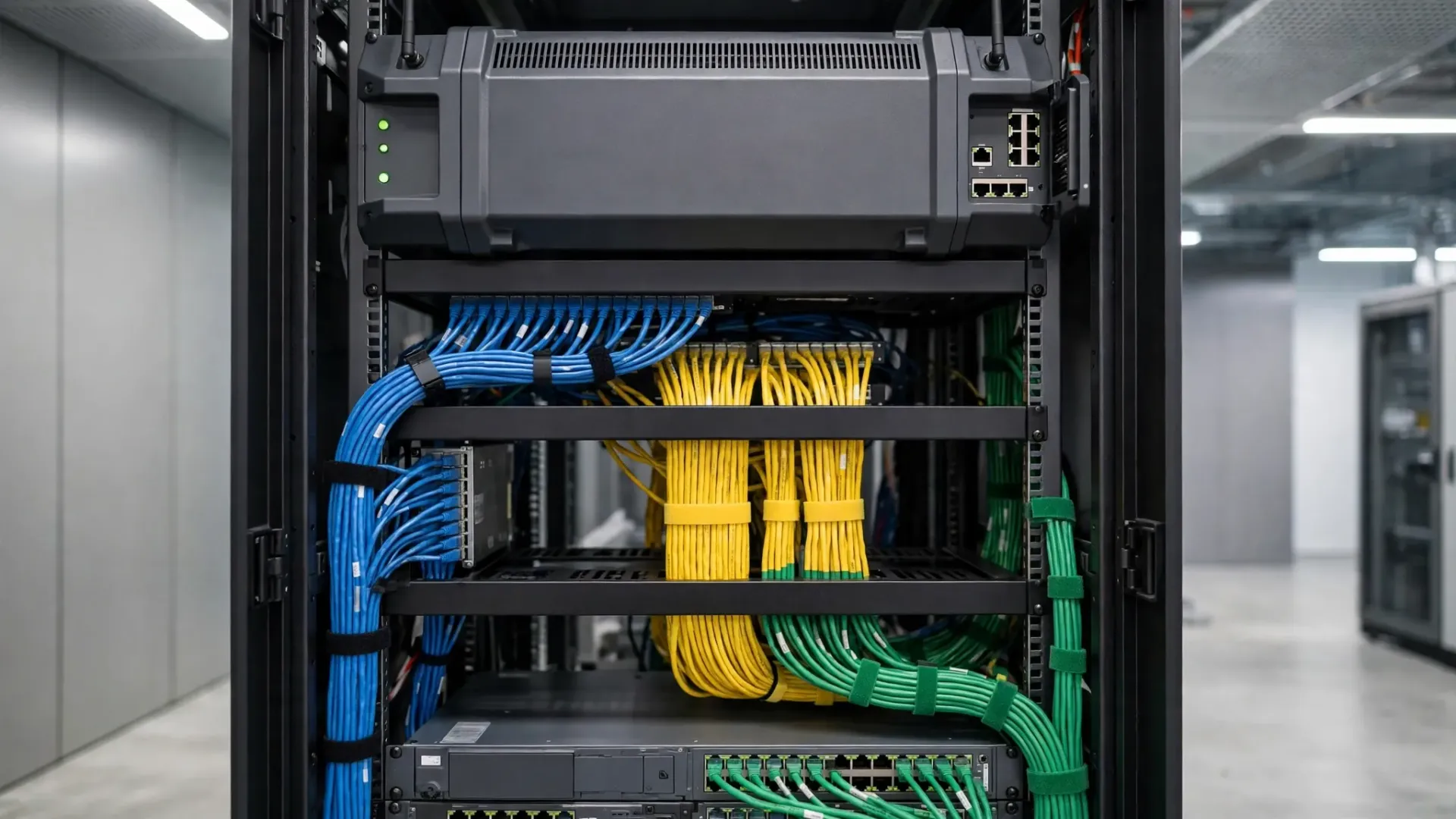
Network segmentation is the single most important architectural decision for historian security, and the Purdue Enterprise Reference Architecture gives you the model. In a well-segmented plant:
- Levels 0–2 are the control zone: controllers, HMIs, and supervisory control. Nothing from the enterprise network talks directly to these layers.
- Level 3 is the site operations zone — and this is where the historian server typically lives, alongside MES and local data collection services.
- A DMZ (Level 3.5) sits between Level 3 and the enterprise IT network (Level 4), hosting replica historians, reporting servers, and terminal services that business users touch.
- Level 4 and above are corporate IT, cloud services, and the internet.
The principle: the historian collects data downward from the control network through a firewall with tightly restricted rules (only the collection protocols and ports, only from known hosts), and serves data upward to the enterprise through the DMZ. Enterprise clients never connect directly to the historian in Level 3 — they connect to a replica, a reporting instance, or a terminal session in the DMZ. If you are still running the historian on the same flat network as office PCs, segmentation is your first project, before anything else on this list.
If you are sizing a new deployment, it helps to understand what data historian software actually does at each of these layers — collection, storage, and serving — so the firewall rules you write match the real traffic.
Use Unidirectional Gateways Where Firewalls Are Not Enough
Firewalls filter traffic, but they still permit bidirectional sessions, and every permitted inbound rule is a path an attacker could use in reverse. For the most sensitive plants — utilities, pharmaceuticals, food processing, critical manufacturing — the step beyond a firewall is a unidirectional security gateway (sometimes called a data diode).
A data diode physically enforces one-way data flow: process data replicates out of the OT network to the enterprise or DMZ, and nothing — no packets, no sessions, no acknowledgements — can travel back in. Modern implementations replicate historian data, OPC traffic, and even file transfers across the diode so dashboards, reports, and analysts on the IT side stay current while the control network stays unreachable.
You do not need diodes everywhere. A pragmatic pattern: firewall-protected connections between the control network and the Level 3 historian, then a unidirectional gateway between Level 3 and the DMZ/enterprise for everything that only needs to flow outward. Keep bidirectional paths only where a legitimate use case truly requires them (for example, a historian client that writes setpoints — which should be rare and heavily audited), and document each one.
Lock Down Authentication, Authorization, and Least Privilege
Historian platforms ship with powerful default accounts, and "administrator / administrator" credentials have a way of surviving into production. Start with the fundamentals:

- Disable or rename default accounts. Change every default password to a long, unique value stored in a password manager or vault.
- Integrate with central identity. Tie historian logins to Active Directory or LDAP so accounts are created, disabled, and audited in one place. When a controls engineer leaves the company, one deprovisioning step should revoke their historian access too.
- Apply role-based access control (RBAC). Define roles that match real jobs — viewer, operator, process engineer, administrator — and grant each role only the tags, trends, and functions it needs. A packaging-line supervisor does not need read access to the batch reactor's recipe tags.
- Enforce least privilege on the OS, too. The historian service account should not be a domain admin. Nobody should be browsing the historian server's desktop over RDP from the office network; administrative access belongs on a jump host in the DMZ with MFA (more on that below).
- Require multi-factor authentication for any remote or privileged access to the historian, and for the management console wherever the platform supports it.
Review roles and memberships quarterly. Orphaned accounts from past projects and departed contractors are one of the most common findings in OT security assessments.
Encrypt Data in Transit: OPC UA, MQTT, and Cloud Paths
Process data crossing network boundaries should be encrypted, full stop. The legacy protocols still common on plant floors — OPC DA, Modbus, EtherNet/IP without CIP Security — were designed for trusted networks and carry credentials and values in the clear. Your segmentation helps here, but encryption is the defense in depth:
- Prefer OPC UA over OPC DA for new collection connections. OPC UA supports X.509 certificate-based authentication and TLS encryption natively. For existing OPC DA sources (including FANUC controllers, which are reached through OPC DA or UA from FOCAS-based OPC server software or via MTConnect through FANUC's adapter), tunnel the traffic through an encrypted channel or keep it strictly inside the segmented control zone.
- Use TLS for every MQTT connection. MQTT's lightweight publish/subscribe model is ideal for moving historian data to brokers and cloud services, but unauthenticated MQTT on port 1883 is an open door. Always use MQTT over TLS (port 8883) with client certificates or strong credentials.
- Verify the cloud path end to end. With OAS, the AWS IoT Gateway speaks MQTT-TLS to AWS IoT Core natively, so the data path from your historian to the cloud is encrypted without a separate MQTT driver license. (The standalone MQTT driver license only comes into play when connecting to third-party, non-AWS brokers.) Confirm that your cloud ingestion uses TLS 1.2 or better, that certificates are valid and rotated on schedule, and that the IAM policies on the cloud side grant the minimum permissions the integration needs.
- Encrypt database and file backups as well — a backup tape or copied archive folder containing years of process data is just as sensitive as the live system.
Test encryption periodically rather than assuming it is on. A packet capture on the collection network during commissioning — and again after any network change — takes an hour and answers the question definitively.
Harden and Patch on an OT Schedule
You cannot treat the historian like an office server that reboots on Patch Tuesday, but "we never patch it" is not a strategy either. OT-appropriate hardening and patching looks like this:
- Harden the OS before commissioning. Disable unneeded services, remove or disable unused accounts, turn off SMBv1 and other legacy protocols, enable host firewall rules that allow only the historian's collection and client ports, and enable application allowlisting so only approved executables run. Document the baseline configuration.
- Patch on a planned cycle, not never. Maintain a test or staging environment — even a modest VM running a copy of the historian configuration — where patches and historian software updates are validated before production. Schedule production patching into planned maintenance windows or shutdowns, and keep a rollback plan: full system image or snapshot taken immediately before the window, with a tested restore procedure.
- Prioritize ruthlessly. Not every CVE matters equally on an isolated Level 3 server. Focus first on remotely exploitable vulnerabilities in exposed services, then on privilege escalation flaws, then on everything else. Your OT asset inventory should record the historian's software versions so you can actually assess exposure when a new vulnerability is announced.
- Keep antivirus/EDR current but tuned. Endpoint protection belongs on the historian server, but with exclusions configured for the historian's data directories and real-time scanning tuned so it does not interfere with high-rate data collection. Test exclusions in staging first.
The plants that do this well treat the historian's patch cycle like a preventive maintenance task on a critical machine: scheduled, documented, and non-negotiable — just on a longer interval than IT systems.
Maintain Audit Trails and Electronic Signatures
In regulated industries, the historian is not just an operational tool — it is a compliance record. FDA 21 CFR Part 11 (and its EU Annex 11 counterpart) requires that electronic records and signatures be trustworthy, which translates into specific historian capabilities:
- Tamper-evident audit trails. Every configuration change, tag addition, data edit, and user login should be logged with who, what, and when — in a record the user cannot modify or delete. If your historian supports signed or append-only audit logs, enable them.
- Electronic signatures for critical actions. Batch record approvals, recipe changes, and manual data entries should require authenticated electronic signatures with the meaning of the signature recorded (review, approval, authorship).
- Data integrity by design. Historian data should be stored in a way that makes silent modification detectable — checksums, write-once archives, or database-level integrity controls. Periodic validation (comparing a sample of archived values against independent records) proves the system still meets its design.
- Retention and retrieval. Define retention periods that satisfy both operations and regulators, test that archived data actually restores and reads correctly, and document the whole procedure. An archive you have never restored is a hope, not a backup.
Even in unregulated industries, these practices pay off: an immutable audit trail is what lets you answer "who changed that setpoint?" after a quality excursion, and it is what your cyber-insurance carrier will ask about.
Back Up, and Prove You Can Restore
Ransomware has made backup strategy a board-level topic, and historians need special attention because a naive file backup misses the point:
- Back up the full system state, not just the data files: OS image, historian configuration, tag database, license files, security certificates, custom scripts, and client configurations. A data archive without the configuration that interprets it is nearly useless in a recovery.
- Follow the 3-2-1 rule. Three copies of the data, on two different media types, with one copy offline or off-site. For OT, the offline copy matters most — ransomware cannot encrypt a backup it cannot reach.
- Protect backup credentials. The backup service account should have write access to the backup target and nothing else, and the backup repository itself should require separate authentication from the historian.
- Test restores on a schedule. Quarterly restore tests to an isolated VM — full system recovery, not just file verification — are the only proof the plan works. Time the restore so you know your real recovery time objective, and document every step while it is fresh.
- Keep a runbook. In a real incident, the engineer doing the restore may not be the one who designed the backup. A written, tested runbook with contact numbers, license keys, and network settings turns a crisis into a procedure.
Secure Vendor Remote Access
Your historian vendor, your integrator, and your own remote engineers all need access sometimes — and vendor remote access is one of the most exploited paths into OT networks. Every remote session should be:
- Time-boxed and approved. Access granted for a defined window, for a defined purpose, approved by someone in the plant — not a standing VPN account that has been open since commissioning.
- Routed through a jump host. Vendors connect to a hardened jump host or remote-access appliance in the DMZ, never directly to the historian or control network. All sessions are logged and, where possible, recorded.
- Protected by MFA. Password-only VPN access is insufficient. Require a second factor for every remote session, including your own engineers connecting from home.
- Monitored in real time. Someone in the plant should know when a vendor is connected and what they are doing. Announce sessions on the shift log, and revoke access the moment the work is done.
- Documented afterward. What was changed, by whom, and why — filed with the change management record.
If a vendor insists on persistent connectivity (for a support contract, for example), that connection still goes through your jump host, your MFA, and your logging — and you retain the kill switch.
Monitor Historian Traffic for Anomalies
Prevention eventually fails; detection is what limits the damage. The historian's traffic patterns are unusually predictable, which makes anomaly detection practical:
- Baseline normal behavior. Historian collection traffic is rhythmic: the same hosts, the same protocols, the same tag update rates, day after day. Learn that baseline with your network monitoring tools.
- Alert on the unusual. New hosts connecting to the historian, collection protocols appearing on unexpected ports, large data exports at odd hours, authentication failures, configuration changes outside maintenance windows, and unexpected outbound connections (especially to the internet) all deserve investigation.
- Feed historian logs into your SIEM. Authentication events, audit trail entries, and service restarts belong in the same monitoring view as the rest of the plant. If you run a SOC or managed detection service, make sure the historian server and its DMZ replica are in scope — they are too often excluded as "OT, not our problem."
- Watch the data itself. A historian that suddenly stops receiving values from a PLC, or starts receiving values outside plausible ranges, may be telling you about a network problem — or about something malicious. Data-quality alarming doubles as a security sensor.
Detection only works if someone responds. Define who gets the alert, what they check first, and when to escalate to the incident response plan.
Weigh On-Prem vs. Cloud Security Tradeoffs Honestly
Moving historian data to the cloud does not automatically make it more or less secure — it changes who is responsible for what. A clear-eyed comparison:
- On-prem strengths: you control the physical hardware, the network path never leaves your facility, and air-gapped or diode-protected architectures are achievable. Weaknesses: you own patching, monitoring, backup testing, and physical security, and small teams often under-resource all four.
- Cloud strengths: the provider handles physical security, infrastructure patching, and highly available storage, usually better than a small plant team can. Weaknesses: your data traverses the internet (mitigated by TLS, but the path exists), you depend on identity and access management done right, and misconfigured storage buckets or over-permissive IAM roles are the classic cloud breach pattern.
- The hybrid reality: most plants land in the middle — the historian runs on-prem in Level 3, and selected data replicates to the cloud for analytics, reporting, or multi-site visibility. In that model, secure the on-prem historian with everything in this guide, encrypt the replication path (the native MQTT-TLS path to AWS IoT Core is purpose-built for this), lock down cloud IAM to least privilege, and decide explicitly which tags leave the building. Not every value needs to go to the cloud.
Whichever model you choose, the shared-responsibility line should be written down: who patches what, who monitors what, and who responds when something goes wrong.
Your Historian Security Checklist
Turn this guide into action with a prioritized checklist. Work it top to bottom; each item builds on the ones above it.
1. Segment the network. Historian in Level 3, enterprise clients via DMZ replica or terminal services. No flat networks.
2. Restrict collection traffic. Firewall rules between control and Level 3 allow only required protocols, ports, and hosts.
3. Evaluate unidirectional gateways for data flowing from OT to enterprise where no return path is needed.
4. Eliminate default credentials and integrate historian authentication with AD/LDAP.
5. Define RBAC roles and apply least privilege to tags, functions, and OS access.
6. Enable MFA for remote and privileged access.
7. Encrypt in transit: OPC UA with certificates, MQTT over TLS, TLS 1.2+ on cloud paths; verify with packet captures.
8. Harden the OS: disable unneeded services, allowlist applications, enable host firewall.
9. Establish a patch cycle with staging validation and tested rollback.
10. Enable tamper-evident audit trails and electronic signatures where compliance requires them.
11. Implement 3-2-1 backups with offline copies and quarterly tested restores.
12. Control vendor access through jump hosts, MFA, time-boxed approvals, and session logging.
13. Monitor and alert on anomalous historian traffic, authentication failures, and data-quality breaks.
14. Document everything: network diagram, firewall rules, roles, backup runbook, and incident response contacts — and review them at least annually.
Security is not a project with an end date; it is a maintenance discipline, like calibration or preventive maintenance. The plants that do it well revisit this checklist on a schedule, treat every incident (even a near miss) as a lesson, and keep their historian — the system that remembers everything the plant ever did — worthy of that trust.
OT Cybersecurity and Industrial Control in Critical Infrastructure
OT cybersecurity starts with knowing what you protect. In an OT environment, industrial control reaches from programmable logic controllers and remote terminal units up through the historian, so every industrial control system in scope deserves an inventory before any security measures are chosen.
Critical infrastructure operators face a wider attack surface than office IT, because industrial automation and process control run physical processes that cannot simply be rebooted. Data acquisition from industrial equipment and industrial systems across industrial environments and industrial processes must keep flowing, so plan controls that protect industrial protocols without breaking the process.
Threat Intelligence, Threat Detection, and Network Security
Threat intelligence only helps when it turns into threat detection. Feed network traffic into monitoring that understands industrial protocols, and use deep packet inspection on the boundary between control and enterprise networks so unauthorized access stands out against the normal rhythm of the plant.
Cyber threats become cyber incidents when no one watches for them, so pair cyber security monitoring with it security basics: patch the operating system, lock down each engineering workstation, and track every ot system that sends ot data. As ot convergence brings information technology and operations closer, network security must cover legacy systems and legacy plcs that vendors no longer patch.
Risk Management, Security Programs, and Compliance
A written security program turns good intentions into risk management. Map controls to a known framework such as nist csf, and where rules apply, such as nerc cip for power grids, document how each security measure protects data confidentiality for critical operations.
Patch management is part of the same program: test patches, schedule them around operational continuity, and keep the plan honest about water treatment sites or remote plants where a failed patch cannot be fixed the same day.
How do you secure a data historian without stopping production?
Start with a read-only review of network zones, accounts, encryption, patching, and backups, then compare historian traffic against a known-good baseline. Document gaps, agree fixes with operations, and apply changes during planned stops, so production keeps running while security improves.
Data Historian Security Best Practices for OT Networks: A Quick Review
Use this review before your next security window to confirm the basics are covered.
- Segment the network and restrict traffic to required protocols only.
- Remove default accounts, require MFA, and test restores every quarter.
Frequently Asked Questions About Data Historian Security
1. Where should a historian sit on the network?
A historian should be placed in a segmented network zone to minimize exposure to external threats. This segmentation helps protect critical data while still allowing necessary access from operational technology (OT) environments.
2. How can I implement access control and multi-factor authentication (MFA)?
Access control should be enforced using role-based permissions, ensuring that only authorized personnel can access the historian. Implementing MFA adds an extra layer of security, requiring users to verify their identity through a second method, such as a mobile app or token.
3. What is the best way to patch a 24/7 historian?
To maintain continuous operations, schedule patches during planned downtime or use a rolling update strategy to apply patches to one historian at a time while keeping others operational. Always test patches in a staging environment before applying them to production.
4. How do I ensure encryption in transit with OPC UA and MQTT TLS?
Use OPC UA and MQTT protocols with built-in TLS support to encrypt data in transit. This ensures that any data exchanged between devices and the historian is secure and protects against eavesdropping.
5. What should I know about backups and tested restores?
Regularly back up historian data and ensure that these backups are stored securely. Test the restore process periodically to confirm that data can be recovered quickly and accurately in the event of a failure or breach.
6. How can I monitor for anomalies?
Implement continuous monitoring solutions that leverage machine learning and anomaly detection algorithms to identify unusual behaviors or patterns in historian traffic, tag values, and access events — then route those alerts to the right operator with context, so a real incident gets action instead of another ignored alarm.
Secure Your Historian with Empowered Automation Solutions
If your historian security posture is "we'll get to it," consider this your nudge. Empowered Automation Solutions builds industrial data historian software designed for real plant networks — segmented OT architectures, encrypted OPC UA and MQTT-TLS collection paths, role-based access, and cloud integration through native AWS IoT Core connectivity. Our engineers speak controls as a first language: we can help you place the historian correctly in your Purdue model layers, lock down collection traffic, and build a backup and recovery plan you have actually tested.
Whether you are commissioning a new historian or hardening one that has been running untouched for a decade, start with a conversation. Schedule a call with our team to walk through your architecture, or explore how data historians are reshaping industrial data analysis to see what a modern, secure historian platform makes possible. Your process data is too valuable to leave unguarded — let's protect it properly.
You might also like