Alarm Acknowledgement Best Practices for Control Room Operators
Alarm Acknowledgement Best Practices for Control Room Operators
An alarm is a call for action, not a notice to ignore. Acknowledgement is the moment an operator says, 'I see this alarm, and I own the response.' Done well, acknowledgement keeps the alarm list honest, helps the next operator pick up the job, and prevents a real problem from hiding in a flood of noise. Done badly, it becomes a reflex click that clears the sound without fixing the cause.
Why Acknowledgement Matters
Acknowledgement matters because it changes what the alarm system shows, and what the team knows. When an operator acknowledges an alarm, the sound stops, the flashing stops, and the alarm moves from 'new' to 'seen.' That change tells the rest of the team that someone has taken ownership. Without acknowledgement, every alarm stays new, the screens stay noisy, and operators cannot tell which alarms have been checked and which have not. A clean acknowledgement habit keeps the list trustworthy.
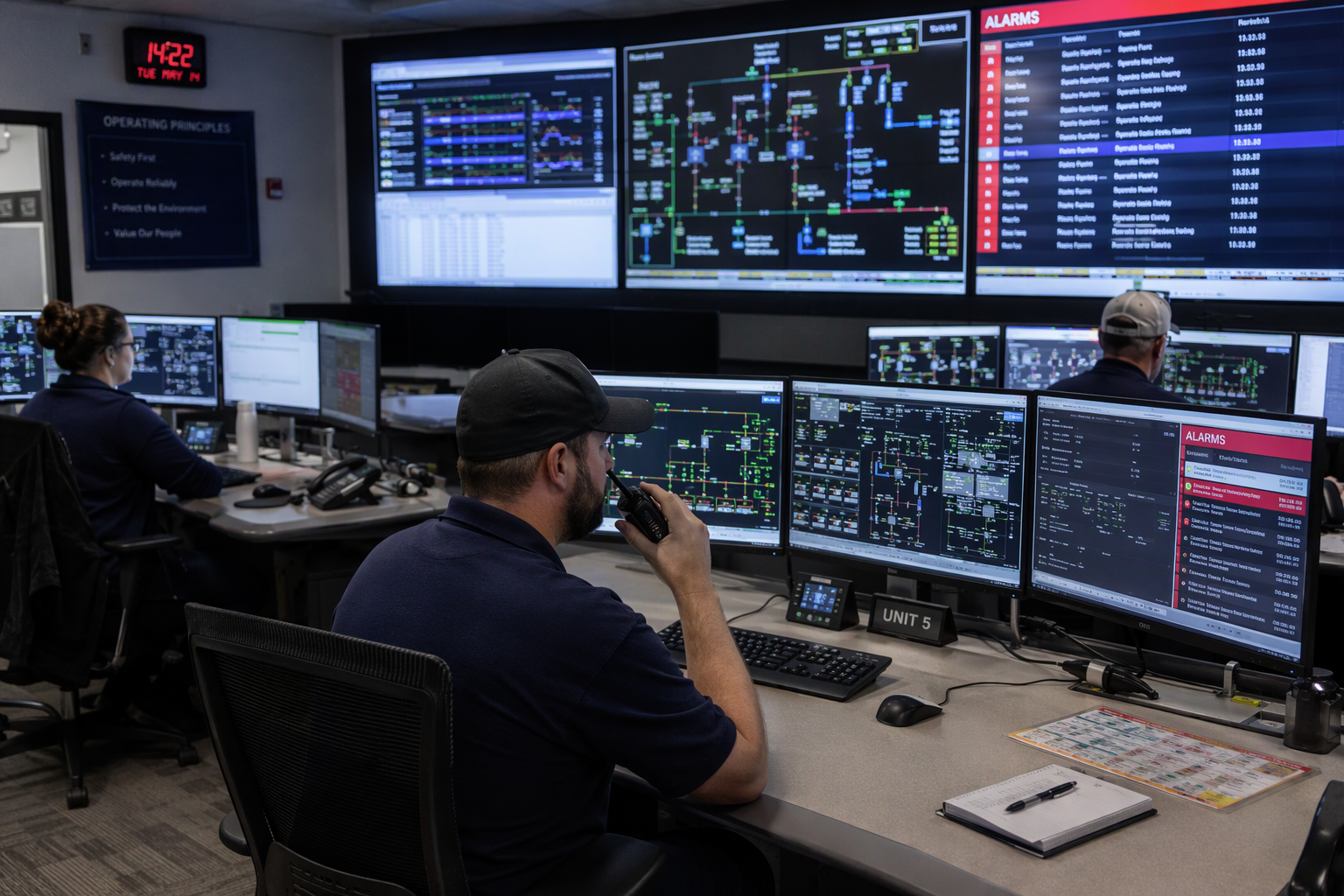
What Acknowledgement Means
Acknowledgement does not mean the problem is fixed. It means the operator has seen the alarm, understood what it means, and started the response. The alarm stays active until the process returns to normal, even after acknowledgement, so the team can still see the problem. Acknowledgement is a handover signal, not a reset button, and it should never be used to silence an alarm without checking the cause.
Acknowledge First, Then Investigate
Acknowledge an alarm as soon as you see it, then investigate the cause. The first step stops the sound and the flashing, so you can think clearly and check the process. The second step is the real work: look at the trend, check the field device, and confirm the cause before you act. Do not delay acknowledgement while you investigate, because a flashing, sounding alarm distracts the whole room, and other alarms can hide behind it.
The Acknowledge Button
The acknowledge button should be easy to find, easy to press, and hard to press by accident. In most control systems, the button sits on the alarm banner, on the alarm list, or on the graphic for the affected equipment. Press it once for the alarm you have checked, not for a whole list you have not read. If the system lets you acknowledge many alarms at once, use that feature only during a flood, and only after you have checked the highest-priority alarms first.

Acknowledging During an Alarm Flood
During a flood, acknowledge in priority order, not in time order. Start with safety alarms, then with alarms that need immediate action, then with the rest. Use the alarm list filters to group alarms by area, by priority, or by equipment, so you can work through them in a logical order. Tell the rest of the team what you have acknowledged, and what you have not yet checked, so no alarm is assumed to be owned when it is not.
Acknowledgement and the Alarm Response Procedure
Every alarm should have a response procedure, and acknowledgement should lead straight to that procedure. When you acknowledge, open the procedure, check the cause, and follow the first steps. If the procedure is missing or unclear, note it and tell the alarm owner, because an alarm without a procedure is an alarm that cannot be answered well. Good acknowledgement links the alarm to its procedure, and the procedure to the action.
Acknowledgement in Shift Handover
At handover, the outgoing operator should list every acknowledged alarm that is still active, every alarm that is still unacknowledged, and every alarm that needs action in the next shift. The incoming operator should acknowledge the handover list, not just the new alarms, so the team knows the job has passed over. A good handover turns acknowledgement into a team record, not a personal click.
Acknowledgement as Teamwork
Acknowledgement works best as teamwork. One operator acknowledges, another checks the field, and a third follows the procedure, while the first operator keeps the alarm list under control. Tell the team when you acknowledge, what you found, and what you need next, so the response stays coordinated. When the whole team uses acknowledgement the same way, the alarm list becomes a shared picture of the plant, not a personal to-do list.
Training Operators to Acknowledge Well
Train new operators to acknowledge with a purpose, not as a reflex. Use drills that include a single alarm, a flood, and a handover, so operators learn to prioritise, to communicate, and to follow procedures under pressure. Review acknowledgement times and acknowledgement habits in training, and coach operators who click too fast or too slowly. Good training makes acknowledgement a habit that helps, not a habit that hides problems.

Common Mistakes in Acknowledgement
One common mistake is acknowledging every alarm at once, without checking any of them. Another is acknowledging an alarm and then forgetting it, so the active alarm stays on the list with no action. A third is acknowledging an alarm to stop the sound, then leaving the room, so no one owns the response. Avoid these mistakes by acknowledging one alarm at a time, by following the procedure, and by telling the team what you have done.
A Worked Example From a Control Room
A high-level alarm sounded for a tank, and the operator acknowledged it, checked the trend, and found the level rising fast. The operator followed the procedure, stopped the feed, and told the team, while the alarm stayed active until the level fell. The next operator at handover saw the acknowledged alarm, the trend, and the action taken, and picked up the job without asking for the story again. Acknowledgement, done well, kept the response clear from start to finish.

Acknowledgement and Alarm Management Standards
Alarm management standards, such as ISA 18.2 and IEC 62682, treat acknowledgement as part of the alarm lifecycle, not as an optional step. The lifecycle runs from alarm activation, to acknowledgement, to return to normal, and each step should be logged. Follow the standard for your plant, and use the log to review acknowledgement times, flood performance, and operator workload. Standards give acknowledgement a clear place in the system, and they help the team defend good habits.
Improving Alarm Displays for Acknowledgement
Good displays make acknowledgement easier. The alarm list should show the alarm state, the priority, the time, and the acknowledgement status at a glance, without extra clicks. The acknowledge button should be visible on the same screen as the alarm, and the system should confirm the acknowledgement with a clear change in colour or state. If operators have to hunt for the button, or if the confirmation is unclear, acknowledgement will be slow and unreliable.
When Acknowledgement Is Not Enough
Acknowledgement alone does not fix a problem. If an alarm keeps returning, if the procedure does not work, or if the alarm is a nuisance, acknowledgement will not help. In those cases, tell the alarm owner, log the problem, and ask for a change to the alarm, the procedure, or the process. Acknowledgement is the first step, not the whole response, and it should lead to action, not to silence.
How Does Alarm Acknowledgement Help Control Room Operators?
Acknowledging alarms helps control room operators by making it clear who has seen an alarm and who owns the response. When an alarm is acknowledged, the sound and flashing stop, the alarm moves from new to seen, and the team can focus on the cause instead of the noise. That clarity keeps the alarm list trustworthy, even during a busy shift.
Acknowledge every alarm promptly, confirm its cause, then act.
You might also like