Automation Tips: Streamline Your Processes Easily
Automation Tips: Streamline Your Processes Easily

Key Highlights
- Automation uses technology to perform tasks with minimal human involvement, aiming to streamline processes and boost efficiency.
- Key types of automation include Robotic Process Automation (RPA) for repetitive digital tasks and Business Process Automation (BPA) for entire workflows.
- The main benefits for businesses are increased productivity, improved accuracy by reducing human errors, and significant long-term cost savings.
- Industries like manufacturing, retail, and healthcare are heavily leveraging automation to revolutionize production, customer service, and patient care.
- While automation follows pre-set rules, Artificial Intelligence (AI) enables systems to learn and make decisions, creating more advanced automation.
- A successful automation strategy involves identifying repetitive tasks, mapping workflows, and prioritizing opportunities with the highest impact.
Introduction
Are you looking for ways to make your business run smoother and more efficiently? The answer might lie in automation. In today’s fast-paced world, using an automation system is no longer a luxury but a strategic necessity. At its core, automation is the use of technology to handle tasks with minimal human intervention. This approach, known as process automation, aims to streamline your operations, reduce errors, and free up your team to focus on what truly matters—growing your business.
What Is Automation?
At its most basic level, automation is the application of technology to perform tasks with minimal human involvement. It's like having a digital assistant or a robot take over repetitive or complex activities, allowing your processes to run more smoothly and efficiently. This technology-driven approach is designed to streamline operations and reduce the chance of human error.
The goal of automation is to boost speed, accuracy, and efficiency. By assigning certain tasks to intelligent, automated systems, you can reduce your reliance on manual effort. This isn't just for factories; various forms of automation are present in our daily lives, from smart home devices that control your lights to the software that manages vast IT networks.
Process automation works through programming and algorithms. Developers write instructions that tell a machine or system how to act under different conditions. These rules ensure that the automation process operates seamlessly, whether it's assembling a product on a production line or analyzing customer data for a marketing campaign. The system follows these pre-set commands without needing constant oversight.
How Does Automation Work?
An automation system operates by combining hardware and software to monitor, control, and optimize processes. It starts with sensors, which gather data from the environment, such as temperature, motion, or pressure. This information is then sent to a controller, like a Programmable Logic Controller (PLC).
The controller acts as the brain of the operation. It processes the data based on pre-programmed instructions and decides what to do next. Based on this decision, it sends signals to actuators, which are the components that perform the physical action, like starting a motor, opening a valve, or moving a robotic arm. This entire cycle is a core example of the application of technology to manage tasks.
This type of automation creates a closed-loop control structure that continuously monitors and adjusts its actions to ensure efficiency and precision. By automating routine tasks this way, different automation solutions help businesses achieve consistent results in their process automation efforts, from manufacturing floors to back-office operations.
The Importance of Streamlining Processes
One of the greatest advantages of automation is its ability to streamline your business processes. It serves as the foundation for improving efficiency by removing manual steps, reducing bottlenecks, and creating a smoother workflow from start to finish. This optimization is crucial for staying competitive.
By taking over repetitive tasks, automation frees up your team's time and energy. This directly leads to better operational efficiency and more effective resource utilization. When your employees are not bogged down with mundane work, they can focus on strategic initiatives that drive growth and innovation.
Ultimately, streamlining processes helps you achieve significant business benefits. It is a direct path to higher productivity and a stronger bottom line. Key advantages include:
- Reduced human errors: Automated systems perform tasks with precision, ensuring consistent and high-quality outcomes.
- Enhanced cost savings: By reducing labor needs for mundane tasks and optimizing resource use, automation cuts down operational expenses.
Key Types of Automation Used Today
Automation is not a one-size-fits-all solution; it comes in many forms, each suited for different needs and industries. The specific type of automation you choose depends on the complexity of the tasks and the overall goals of your business.
From simple task automation to complex, intelligent systems, there are several key categories. These include robotic process automation (RPA) for digital tasks, business process automation (BPA) for entire workflows, and industrial automation for manufacturing. Some advanced forms even integrate artificial intelligence to handle more dynamic challenges. Let's look at some of these types more closely.
Robotic Process Automation (RPA)
Robotic Process Automation, or RPA, involves the use of software "robots" or "bots" to automate rule-based, repetitive tasks that are typically performed by humans on a computer. These bots are designed to mimic human actions by interacting with digital systems just like a person would.
Think of tasks like data entry, filling out forms, or extracting information from documents. RPA bots can handle these jobs with speed and accuracy, 24/7. This use of software is especially common in back-office functions like finance and IT operations, where it can automate invoice processing or system maintenance checks.
RPA is often a key component of a larger business process automation strategy. It is excellent for tackling high-volume, predictable tasks, freeing up employees to focus on more valuable work. Companies like UiPath and Automation Anywhere are leading providers of RPA solutions that help businesses streamline their digital operations.
Business Process Automation (BPA)
Unlike RPA, which focuses on individual tasks, Business Process Automation (BPA) is about automating entire end-to-end business workflows. It aims to optimize and streamline complex processes that often involve multiple departments, tasks, and people within an organization.
BPA leverages information technology to orchestrate and manage a sequence of activities, reducing the need for manual labor and improving overall efficiency. The goal is to make business operations more agile, consistent, and effective. It's a holistic approach to process automation that looks at the bigger picture.
For instance, BPA can be used to automate a new employee onboarding process, from sending the offer letter to setting up IT access and scheduling orientation. By connecting various automated systems, BPA ensures that the entire workflow runs smoothly without manual handoffs, reducing delays and improving the new hire's experience.
Industrial and Manufacturing Automation
Industrial automation is one of the most well-known forms of automation, primarily used in manufacturing and other industrial settings. It involves using physical machinery, robots, and advanced control systems to perform tasks like assembly, packaging, and quality control.
In modern factories, this technology revolutionizes manufacturing processes. For example, automotive production lines utilize industrial robots for precise and rapid assembly, welding parts, and painting cars. These systems ensure a high level of consistency and speed that would be impossible to achieve with human labor alone.
Control systems are the core of industrial automation, managing everything from individual machines to entire production lines. Companies like ABB and Fanuc specialize in providing these solutions, which include everything from robotic arms to sophisticated software that optimizes the entire manufacturing workflow. This has dramatically changed how products are made, leading to higher output and better quality.
Main Benefits of Automation for Businesses
Implementing automation offers a wide range of advantages that can transform your business operations. The benefits of automation extend far beyond just saving time; they create a more resilient, efficient, and competitive organization from the ground up.
From boosting productivity and reducing human errors to achieving significant cost savings, the impact is substantial. Automation can also lead to better energy efficiency and resource management. Let's explore some of these key benefits and see how they can positively affect your business.
Boosting Productivity and Efficiency
One of the most immediate and significant benefits of automation is a dramatic increase in productivity. Automated systems can operate 24/7 without needing breaks, which means your output can continue around the clock. This uninterrupted operation enables businesses to accomplish more in shorter timeframes.
By taking over repetitive tasks, automation greatly enhances operational efficiency. Processes that once took hours of manual work can be completed in minutes, freeing your team from tedious activities. This allows for much better resource utilization, as both time and materials are used more effectively.
This shift also has a positive impact on human workers. When routine tasks are automated, your employees can redirect their focus and skills toward more strategic and creative work that requires critical thinking and problem-solving—areas where humans excel. This not only boosts morale but also drives innovation within the company.
Improving Accuracy and Reducing Errors
Humans, no matter how skilled, are prone to making mistakes, especially when performing repetitive tasks. Automation significantly reduces the risk of human errors by executing tasks with precision and consistency every time. This improved accuracy is a major advantage for any business.
In fields where quality control is critical, such as manufacturing or finance, automated systems are invaluable. They follow pre-programmed rules without deviation, ensuring that every product or transaction meets the exact specifications. This level of consistency is difficult to achieve with manual human intervention alone.
Furthermore, many automated systems are equipped with self-monitoring capabilities. They can detect and flag anomalies or errors in real time, often before they become larger problems. This proactive approach not only maintains high standards of quality but also reduces waste and rework, leading to more reliable and trustworthy operations.
Enhancing Cost Savings and Resource Allocation
While implementing automation can involve an upfront investment, it delivers substantial long-term cost savings. One of the most direct ways it cuts expenses is by reducing labor costs. Since many routine tasks require minimal human intervention, you can reduce the hours spent on manual work.
Automation also leads to savings through optimized resource use. For example, automated systems in a factory can minimize material waste, while smart building automation can reduce energy usage by adjusting lighting and temperature controls. These efficiencies add up over time, significantly lowering your operational expenses.
The financial benefits extend to better resource allocation. With lower costs and increased efficiency, you can reinvest the savings into other critical areas of your business. This might mean funding research and development, improving customer service, or providing advanced training for your employees, all of which contribute to sustainable growth.
Automation Tools and Software Solutions
To bring the power of automation to your business, you need the right tools. A wide variety of automation solutions are available today, ranging from specialized software for specific tasks to comprehensive platforms that can manage entire workflows.
The key to success lies in choosing the right automation technology for your needs and ensuring it works with your current systems. Proper use of software and a focus on seamless integration are crucial for unlocking the full potential of automation platforms. Let's look at some popular options and how they fit into a business environment.
Popular Automation Platforms
Choosing the right tool is a critical step in your automation journey. Luckily, there are many excellent automation platforms available, each designed to address different needs, from simple task management to complex IT automation and business process automation.
Some of the most popular automation tools include UiPath and Automation Anywhere, which are leaders in the RPA space. For IT automation, tools like Ansible and Puppet are widely used to manage software configuration and deployment across networks. These automation solutions provide the foundation for building more efficient operations.
Here is a quick look at a couple of these platforms and their primary functions:
| Platform | Primary Use Case |
|---|---|
| UiPath | A leading Robotic Process Automation (RPA) platform used for automating repetitive digital tasks in business environments. |
| Ansible | An open-source IT automation tool for tasks like application deployment, configuration management, and orchestration. |
Integration With Existing Systems
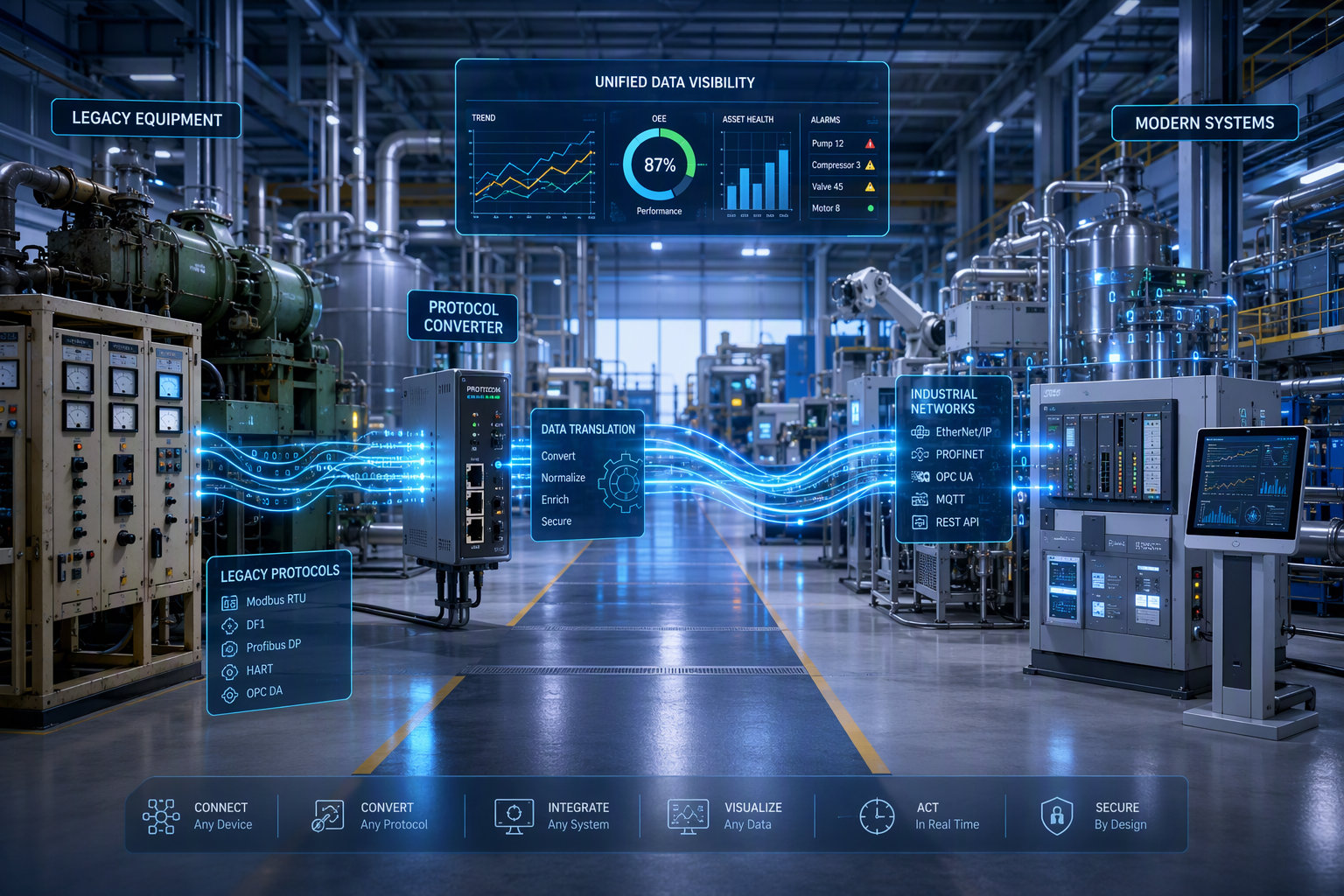
For automation to be truly effective, it must work seamlessly with your existing systems. Simply adding a new tool without considering integration can create more problems than it solves, leading to data silos and inefficient workflows.
Whether you're automating industrial processes on a factory floor or IT processes in an office, your new automated systems must be able to communicate with your current infrastructure. This connectivity ensures that data flows smoothly and that your workflows remain cohesive from start to finish.
Advanced technologies and APIs (Application Programming Interfaces) make this integration easier than ever.
However, careful planning is still required. To ensure a successful integration, you should:
- Confirm compatibility between new automation tools and your legacy systems.
- Develop a clear plan for data exchange and workflow continuity to avoid disruptions.
- Test the integrated system thoroughly before a full rollout.
Low-Code and No-Code Automation Tools
A major trend in the automation world is the rise of low-code and no-code platforms. These tools are designed to empower a wider range of users to build and deploy automation solutions, even if they have little to no programming experience.
Low-code automation platforms provide a visual development environment with drag-and-drop components, which simplifies the creation of applications and workflows. No-code automation goes a step further, allowing users to create simple automations with minimal human input, often through intuitive graphical interfaces.
These tools are democratizing process automation. Now, employees in marketing, HR, or finance can automate their own repetitive tasks, like sending follow-up emails or organizing files, without needing to rely on the IT department. They can even be used to set up simple automations for smart devices, making technology more accessible to everyone.
Industries Making the Most of Automation
Automation is not confined to a single sector; its transformative power is being felt across various industries. From factory floors to hospital corridors, automation technology is reshaping how work gets done, improving efficiency, and driving innovation.
Sectors like manufacturing have long been pioneers of industrial automation, but now others are catching up fast. Retail is using business process automation to enhance the customer experience, while the healthcare industry is adopting it to improve patient outcomes. Even energy consumption is being optimized through smart automation. Let's examine a few of these industries more closely.
Manufacturing and Production
The manufacturing industry is arguably where industrial automation has made its biggest impact. For decades, factories have used automation to streamline their production process, leading to faster output, lower costs, and higher quality.
Modern manufacturing processes rely heavily on automated systems. Robotic arms perform tasks like welding, painting, and assembling products with a level of speed and precision that humans cannot match. Companies like Tesla and BMW have integrated robots and collaborative bots (cobots) into their assembly lines to boost production rates and assist human workers.
Beyond assembly, automation is also crucial for quality control. Automated vision systems can inspect products for defects far more accurately and quickly than the human eye. This ensures that every item leaving the production line meets strict standards, reducing waste and improving customer satisfaction.
Retail and E-Commerce
In the competitive world of retail and e-commerce, automation is a game-changer. Retail automation helps businesses streamline operations, manage inventory more effectively, and provide a better experience for customers both online and in-store.
E-commerce giants like Amazon are famous for their use of automation technology in warehouses. Autonomous robots navigate these massive fulfillment centers to retrieve items for order fulfillment, drastically speeding up the process from click to delivery. In physical stores, automated checkout systems are becoming more common, allowing shoppers to pay and leave without waiting in line.
Automation also plays a key role behind the scenes. AI-powered chatbots handle customer service inquiries around the clock, providing instant support. Meanwhile, IT automation helps manage inventory levels, track shipments, and analyze sales data, allowing retailers to make smarter, data-driven decisions.
Healthcare and Life Sciences
Healthcare automation is transforming the industry by improving the quality of patient care, streamlining administrative tasks, and enhancing diagnostic accuracy. It allows medical professionals to focus more on their patients and less on paperwork.
One of the most exciting areas is in surgery, where robotic systems like the da Vinci Surgical System assist surgeons in performing complex tasks with greater precision and minimal human intervention. In diagnostics, AI-powered tools can analyze medical images like X-rays and CT scans to help radiologists spot abnormalities more efficiently.
Beyond clinical applications, process automation is crucial for managing the administrative side of healthcare.
Automated systems can handle patient scheduling, billing, and record-keeping, which helps ensure data compliance with regulations like HIPAA. By automating these processes, hospitals and clinics can reduce errors and improve operational efficiency.
Process Automation Strategies
Successfully implementing process automation requires more than just buying new software. It demands a thoughtful strategy rooted in solid business process management principles. A haphazard approach can lead to wasted resources and poor results.
A good strategy starts with understanding your current operations and identifying the best automation opportunities. This involves analyzing your workflows, pinpointing routine tasks that are ripe for automation, and prioritizing them based on their potential impact, whether for business or IT processes. Let's break down the key steps of this strategic approach.
Identifying Repetitive Tasks
The first step in any automation strategy is to identify the right tasks to automate. The best candidates are typically the repetitive tasks that your team performs over and over again. These are often rule-based and don't require complex decision-making.
Look for the mundane tasks that consume a lot of time but add little strategic value. These manual tasks are perfect for an automation system because they are predictable and have a clear set of steps. Automating them frees up your employees from work that is often tedious and prone to error.
To find these opportunities, analyze your daily operations and look for high-volume, low-complexity work. Good examples of tasks to automate include:
- Data entry from forms into a spreadsheet or database.
- Generating and distributing standard weekly or monthly reports.
- Processing and routing invoices for approval.
Mapping Business Workflows
Once you have identified tasks to automate, the next step is to map your business workflows. This means creating a visual representation of a process from beginning to end. Workflow mapping helps you understand every step, decision point, and interaction involved.
This exercise is essential for successful process automation because it reveals the true nature of your current operations. It highlights inefficiencies, bottlenecks, and dependencies that you might not have noticed before. With this clear picture, you can design automated systems that truly optimize the process rather than just digitizing a flawed one.
Workflow mapping is a powerful tool for process improvement. The benefits of creating a detailed map include:
- Providing a clear, shared understanding of how the process currently works.
- Helping you design more effective and efficient automated systems that address the root causes of problems.
Prioritizing Automation Opportunities
After identifying and mapping potential workflows, you need to decide where to start. You likely can't automate everything at once, so prioritizing your automation opportunities is a crucial final step in your strategy.
Consider factors like potential return on investment (ROI), implementation complexity, and the overall impact on your business. Focus on the opportunities that will deliver the biggest wins first. This could be the process that promises the greatest cost savings, the one that will free up the most employee time, or the one that will most improve the customer experience.
This strategic approach to business process automation ensures smart resource allocation. By carefully selecting your projects, you can demonstrate the value of automation early on and build momentum for future initiatives. It's the best way to get the most out of advanced technologies while managing your budget effectively.
Common Challenges in Automation Adoption
While the benefits are clear, the journey to automation adoption is not without its challenges. Implementing new technologies can be a complex process, and organizations often face a few common hurdles along the way.
These obstacles can range from cultural resistance to technical difficulties. Key challenges include managing change within teams, overcoming technical barriers like system integration, and ensuring strict security and data compliance. Being aware of these potential issues can help you plan for a smoother transition.
Managing Change Within Teams
One of the biggest challenges in automation adoption is the human element. When you introduce automation, human workers may worry about their jobs being replaced. This fear can lead to resistance and a lack of buy-in, which can derail even the best-laid plans.
Effective change management is essential to address these concerns. It's important to communicate clearly that the goal of automation is often to augment human capabilities, not to replace them. Frame it as a tool that will free employees from tedious work and allow them to focus on more interesting, high-value tasks.
To support this transition, invest in training and upskilling for your team. Helping employees develop new skills to work alongside automated systems will make them feel valued and part of the future of the company. A positive approach to change management can turn apprehension into enthusiasm.
Overcoming Technical Barriers
Beyond the cultural side, there are often significant technical barriers to overcome. Many organizations, especially larger ones, rely on a mix of modern and legacy systems that were not designed to work together. This can make automation difficult.
The issue of integration is a common roadblock for IT operations. Your new automation technology needs to communicate with your existing software and databases, but incompatible systems can make this a complex and costly endeavor. Without seamless integration, your automation efforts may remain siloed and ineffective.
To overcome these technical barriers, you may need to modernize some of your existing infrastructure or choose automation solutions known for their flexible integration capabilities. Starting with smaller, less complex pilot projects can also be a smart way to test the waters and build experience before tackling more challenging integrations.
Ensuring Security and Data Compliance
When you implement process automation, especially for systems that handle sensitive information, security and data compliance must be top priorities. Automating processes can introduce new vulnerabilities if not managed carefully.
Automated systems often have broad access to data, making them a potential target for security threats. As you reduce human intervention, you also remove manual checkpoints, so it's critical to build robust security measures directly into your automated workflows. This is especially true when automating complex tasks involving confidential customer or company data.
To protect your business and maintain trust, you must ensure your automation practices are secure. Key steps include:
- Implementing strict access controls to define who and what can interact with your automated systems.
- Regularly auditing your automated processes to check for vulnerabilities and ensure they are functioning as intended.
- Making sure your automations comply with relevant regulations, such as GDPR or HIPAA.
Automation vs. Artificial Intelligence: What’s the Difference?
The terms automation and artificial intelligence (AI) are often used interchangeably, but they refer to two distinct concepts. Understanding the difference is key to grasping the full potential of modern technology. In simple terms, automation is about making a system follow a set of pre-programmed rules to perform a task with minimal human involvement. It is task-oriented and relies on explicit instructions.
Artificial intelligence, on the other hand, is about creating systems that can simulate human intelligence. AI enables machines to learn, reason, and make decisions. Technologies like machine learning and computer vision allow AI systems to handle variability, analyze unstructured data, and adapt to new information. Essentially, AI can make automation "smarter" and more flexible, allowing it to tackle tasks that are too complex for rule-based automation.
Defining Artificial Intelligence
Artificial intelligence is a broad field of computer science dedicated to building smart machines capable of performing tasks that normally require human intelligence. This includes abilities like learning from experience, understanding language, recognizing patterns, and solving problems.
AI is powered by a range of advanced technologies. One of the most important is machine learning, which allows systems to improve their performance over time by learning from data without being explicitly programmed for every scenario. Another key area is natural language processing (NLP), which gives computers the ability to understand, interpret, and generate human language.
At its core, AI aims to mimic and even augment human capabilities. It enables systems to go beyond simple, repetitive tasks and handle complex, dynamic situations. This is what allows an AI-powered system to do things like diagnose diseases from medical scans or hold a natural conversation with a customer.
How AI Supports Advanced Automation
When AI is combined with automation technology, it creates what is known as AI-driven automation or advanced automation. This powerful combination allows automated systems to handle much more than simple, rule-based tasks.
AI gives automation the ability to make decisions, learn from outcomes, and deal with unstructured data like emails or images. This makes it possible to automate more complex issues that require judgment and adaptability. For instance, an AI-driven system can analyze customer feedback to identify emerging trends or predict when a piece of machinery is likely to fail.
AI supports advanced automation in many ways, helping to create smarter and more responsive systems. Some key applications include:
- Enabling predictive maintenance in smart devices by analyzing performance data.
- Powering intelligent chatbots that can understand and resolve customer problems.
- Optimizing supply chain logistics in real time based on changing market conditions.
Use Cases: Automation Alone vs. AI-Driven Automation
To understand the difference clearly, let's look at a couple of examples. Basic automation is perfect for straightforward, repetitive tasks where the rules do not change.
A classic example of standard process automation would be a software bot that copies data from an Excel spreadsheet and pastes it into fields in a CRM system. The bot follows a simple, pre-defined set of instructions and performs the same action every time. This is highly efficient for rule-based work.
In contrast, an example of AI-driven automation could be found in a manufacturing production process. A system using machine learning and computer vision could inspect products on an assembly line. Instead of just checking for pre-defined flaws, it learns what a "perfect" product looks like and can identify new, previously unseen defects. This ability to learn and adapt is what sets AI-driven automation apart.
Conclusion
In conclusion, automating your processes is not just a trend; it's a necessity for modern businesses aiming to enhance productivity and efficiency. By leveraging various automation tools and strategies, organizations can streamline repetitive tasks, improve accuracy, and allocate resources more effectively. Whether you're in manufacturing, retail, or healthcare, embracing automation can lead to significant operational improvements. As you explore the world of automation, remember to identify your unique challenges and prioritize opportunities that align with your business goals. Start your journey towards a more efficient workflow today, and don’t hesitate to reach out for expert guidance on implementing the right automation strategies for your needs.
Frequently Asked Questions
Can automation lead to job loss in certain sectors?
While automation, particularly industrial automation, can displace certain repetitive jobs, it also creates new roles that require different skills. The shift often leads to job evolution rather than outright job loss, as human workers are needed for more complex, creative, and strategic tasks, ultimately contributing to long-term economic growth.
What is process automation and why is it important?
Process automation is the use of an automation system to manage and execute multi-step business workflows. It is important because it boosts operational efficiency, reduces errors in repetitive tasks, and ensures consistency. This is a key part of modern business process management, allowing teams to focus on high-value strategic goals.
What is the future outlook for automation technology?
The future of automation technology is incredibly bright, driven by advanced technologies like AI and machine learning. We can expect deeper IoT integration for smarter, more connected systems and a greater focus on energy efficiency. This ongoing evolution is set to continue transforming industries, much like a new industrial revolution.
You might also like