
PLC and HMI Programming Springfield MO
Key Highlights
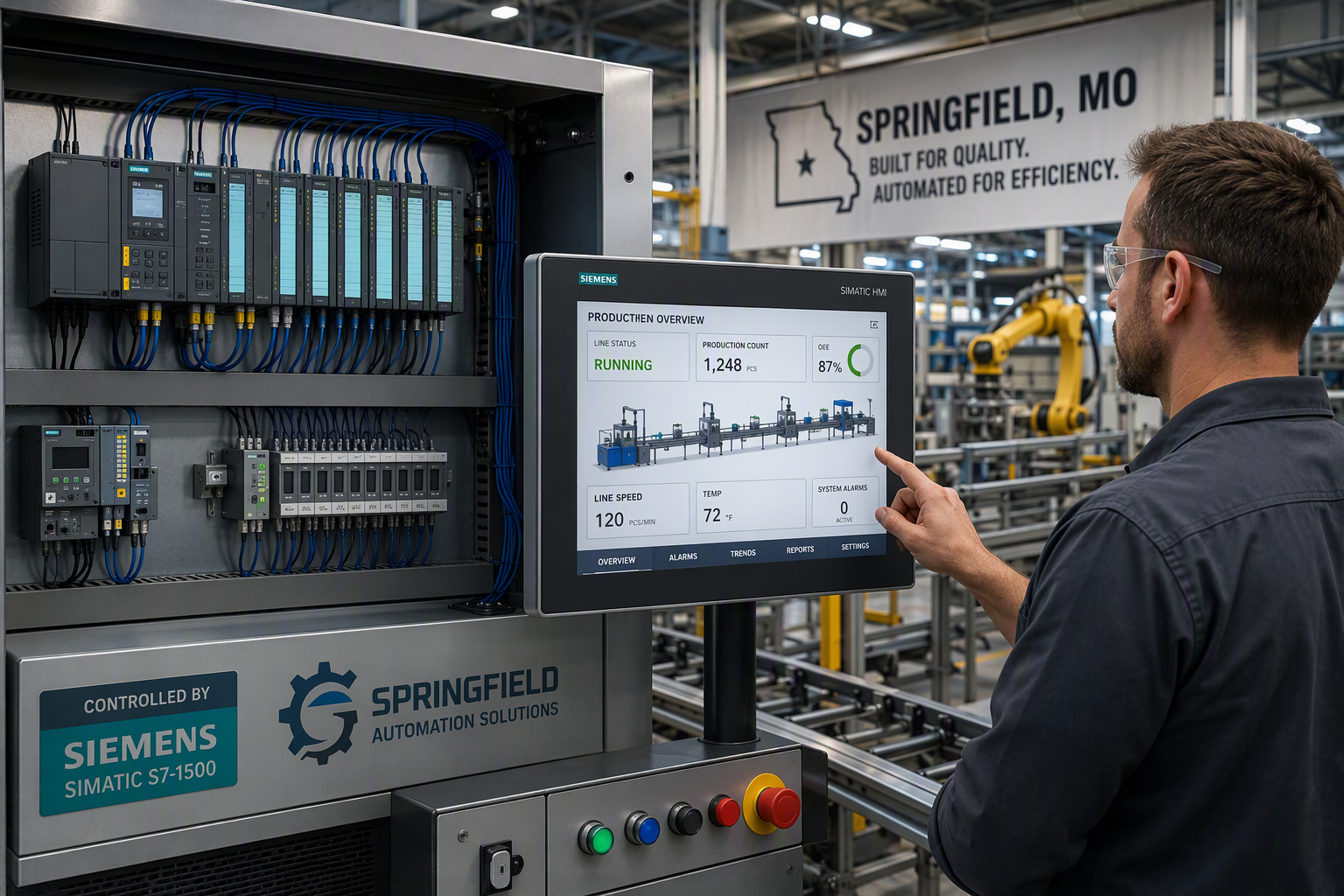
- PLCs act as the decision-making part of industrial automation and run control systems.
- HMIs give operators clear user interfaces to monitor equipment and respond fast.
- PLC programming supports stable control logic for many manufacturing processes.
- HMI programming improves ease of use and daily operator interaction with machines.
- Using both tools together helps reduce human error and improve overall efficiency.
- Springfield facilities often rely on this mix for reliable, real-time production support.
Introduction
If you work with machines, production lines, or plant operations in Springfield, MO, understanding industrial automation matters. Two core pieces of that picture are plc programming and hmi programming. They support machine control, operator visibility, and smoother daily work across many industrial systems. A PLC handles the control side, while an HMI helps people interact with the process. When you know how each one works, it becomes easier to choose the right setup for your automation system.
Overview of PLC and HMI in Springfield, MO
In Springfield MO, many industrial processes depend on reliable control systems that can run all day with minimal disruption. That is where PLCs and HMI platforms play a crucial role in manufacturing processes and plant operations.
The difference is simple. A PLC controls the machine logic and responds to signals from field devices. A human machine interface shows system status, accepts operator input, and makes user interaction easier. Together, they support safer, faster, and more organized automation. The sections below explain how each one fits into local operations.
Role of PLCs in Local Industrial Automation
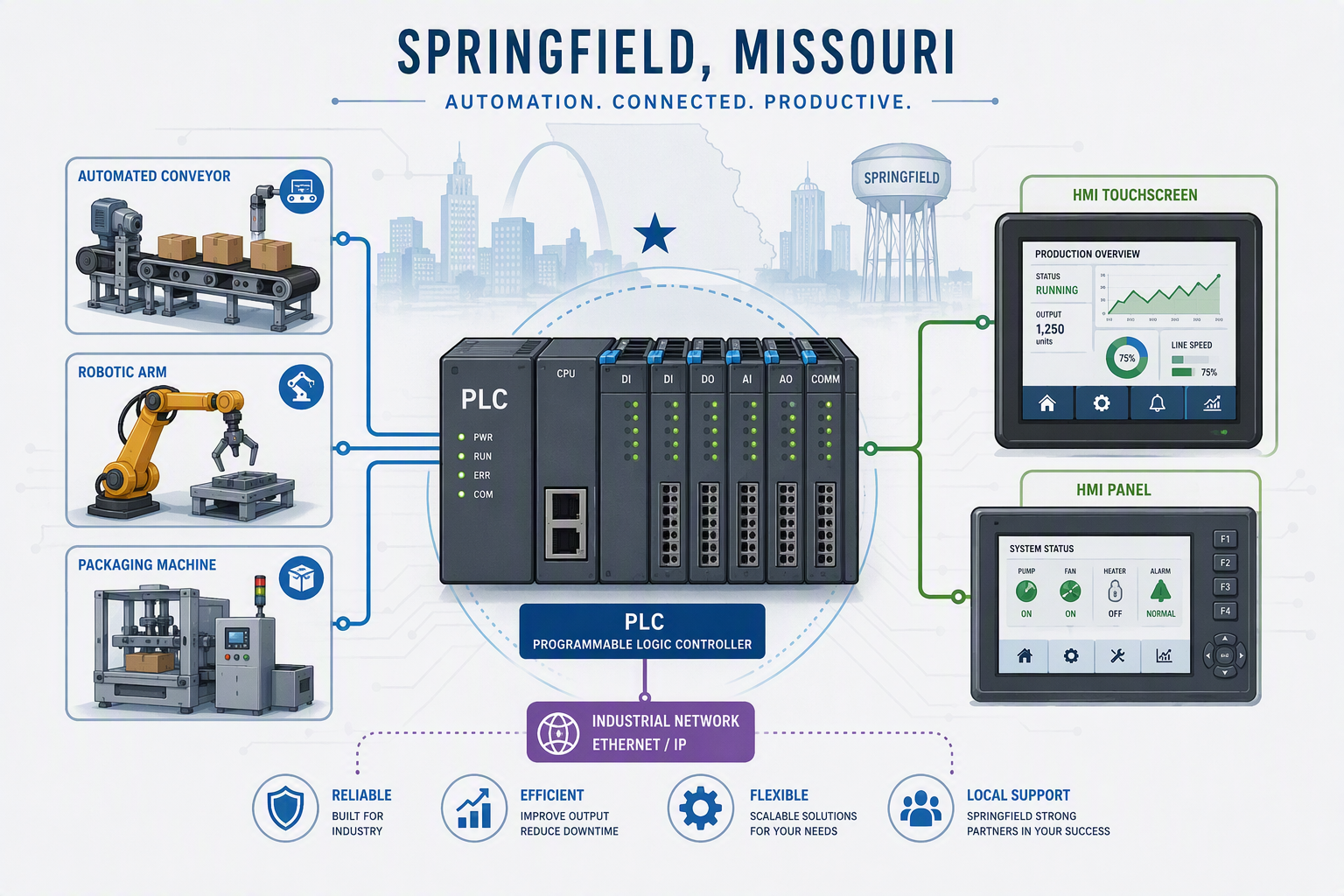
A programmable logic controller is the part of the system that makes decisions based on incoming signals. It receives information from input devices such as sensors, switches, or thermometers, then applies control logic to decide what should happen next. That could mean starting a motor, stopping a conveyor, or turning on heat.
In local settings, PLCs are a strong fit for assembly lines and other industrial machinery because they are built for reliable operation. They can keep working in extreme temperatures, vibration, and electrical noise, which matters in busy plants where downtime is costly.
Unlike an HMI, a PLC is not mainly for display or operator screens. Its job is machine control. In Springfield automation projects, that makes the PLC the core controller behind production processes, while other tools help people monitor and adjust the system.
Importance of HMIs in Springfield Manufacturing
A human machine interface helps operators see what the equipment is doing without reading raw control code. It turns machine data into user interfaces that are easier to understand. That may include status screens, alarms, touch controls, or simple graphics tied to process control.
For Springfield manufacturing processes, this matters because fast decisions often depend on clear information. An HMI can show temperatures, runtime conditions, faults, and machine states in real time. That improves user interaction and helps operators respond before a small issue turns into a larger delay.
The main benefits are practical. HMIs improve ease of use, reduce confusion, and support faster troubleshooting. They also help lower human error by giving operators relevant information in a format that matches the job. In day-to-day plant work, that visibility is a major advantage.
Current Trends in Automation Technology in Springfield
Automation technology keeps moving toward better visibility and faster decisions. In Springfield, industrial automation users increasingly value systems that do more than basic machine control. They want tools that support monitoring, communication, and smarter responses across industrial systems.
A PLC still handles control functions, while the HMI remains the operator-facing layer. On top of that, many facilities look for broader supervisory control through connected software and data tools. This makes daily operations easier to manage and helps teams respond in real time.
- Remote access supports off-site viewing and safer oversight in some applications.
- Data acquisition helps teams track performance, faults, and historical data.
- SCADA software expands supervisory control across larger processes.
- Better connectivity improves system status visibility across multiple machines.
Basics of PLC Programming
PLC programming is the process of writing instructions that tell a controller how to react to machine conditions. In industrial systems, that means turning sensor input into clear control logic that drives outputs in a safe, repeatable way.
You do not need to think of it as abstract code. It is really about machine behavior. The right programming language helps you organize commands, respond to signals, and keep equipment operating as planned. Next, it helps to look at PLC structure, languages, and standards.
Core Functions and Architecture of PLCs
A programmable logic controller works as the brain of many industrial control systems. It watches input devices, processes that information, and then sends commands to output devices. This cycle happens quickly, which is why PLCs are so useful for real time machine control.
Most PLC-based control systems share a simple structure. They include a processor, I/O modules, a power supply, and an external programming device. Each part has a clear role in keeping industrial control systems stable and responsive.
| PLC Component | Main Function |
|---|---|
| Processor | Executes control logic and makes decisions from incoming signals |
| Input devices / I/O | Brings in signals from sensors, switches, and other field devices |
| Output devices / I/O | Sends commands to motors, heaters, lights, and actuators |
| Power supply | Provides steady electrical power for reliable operation |
| Programming device | Loads, edits, and updates the PLC program |
Popular Programming Languages for PLCs
When people ask about a common programming language for PLC work, ladder logic is usually the first answer. It is widely used because it is easier to follow for maintenance teams and technicians. It mirrors relay-style thinking, which made it popular as PLCs replaced older control methods.
You may also see function block diagrams in many projects. They help organize control logic in a visual way, especially when several actions need to connect clearly. In practice, the best choice depends on the machine, the team, and how the industrial computer or controller will be maintained.
- Ladder logic is common because it is familiar and practical.
- Function block diagrams help structure linked control functions.
- Language choice should support service, updates, and clear troubleshooting.
- User-friendly code makes industrial systems easier to maintain.
Industrial Standards for PLC Programming
Industrial standards matter because automation is not just about making a machine run once. It is about dependable performance over time. In plc programming, a structured approach helps teams build control algorithms that are easier to test, update, and support.
The compiled information highlights reliable operation, flexibility, and ease of maintenance as key features of PLCs. That points to a practical standard many facilities follow: write logic that is clear, repeatable, and suitable for harsh industrial environments. Plants need systems that technicians can understand under pressure.
Standards also matter when systems grow. A controller may start with one task and later support more machines or added functionality. When programs are organized well, the result is safer troubleshooting, better scalability, and stronger long-term performance in changing industrial settings.
Introduction to HMI Programming
HMI programming focuses on building screens that let people interact with machines clearly. A human machine interface is not the main controller. Instead, it presents data, accepts user input, and improves ease of use for operators and technicians.
During operation, the HMI works with the PLC by showing machine values and sending commands entered by the user. That connection turns raw machine activity into practical user interfaces. To understand that better, it helps to look at design choices, tools, and system integration.
What Makes HMI Systems User-Friendly
A good HMI is easy to read and simple to use under real plant conditions. Operators should not have to guess what a screen means. Strong ease of use comes from clear labels, direct navigation, and a layout that supports quick action when system conditions change.
In many facilities, touch interfaces and a clean graphical interface improve daily work. Instead of relying on lights or scattered controls, operators can see relevant information in one place. That creates a better user experience and helps reduce mistakes during normal operation or troubleshooting.
- Clear screens help operators act faster.
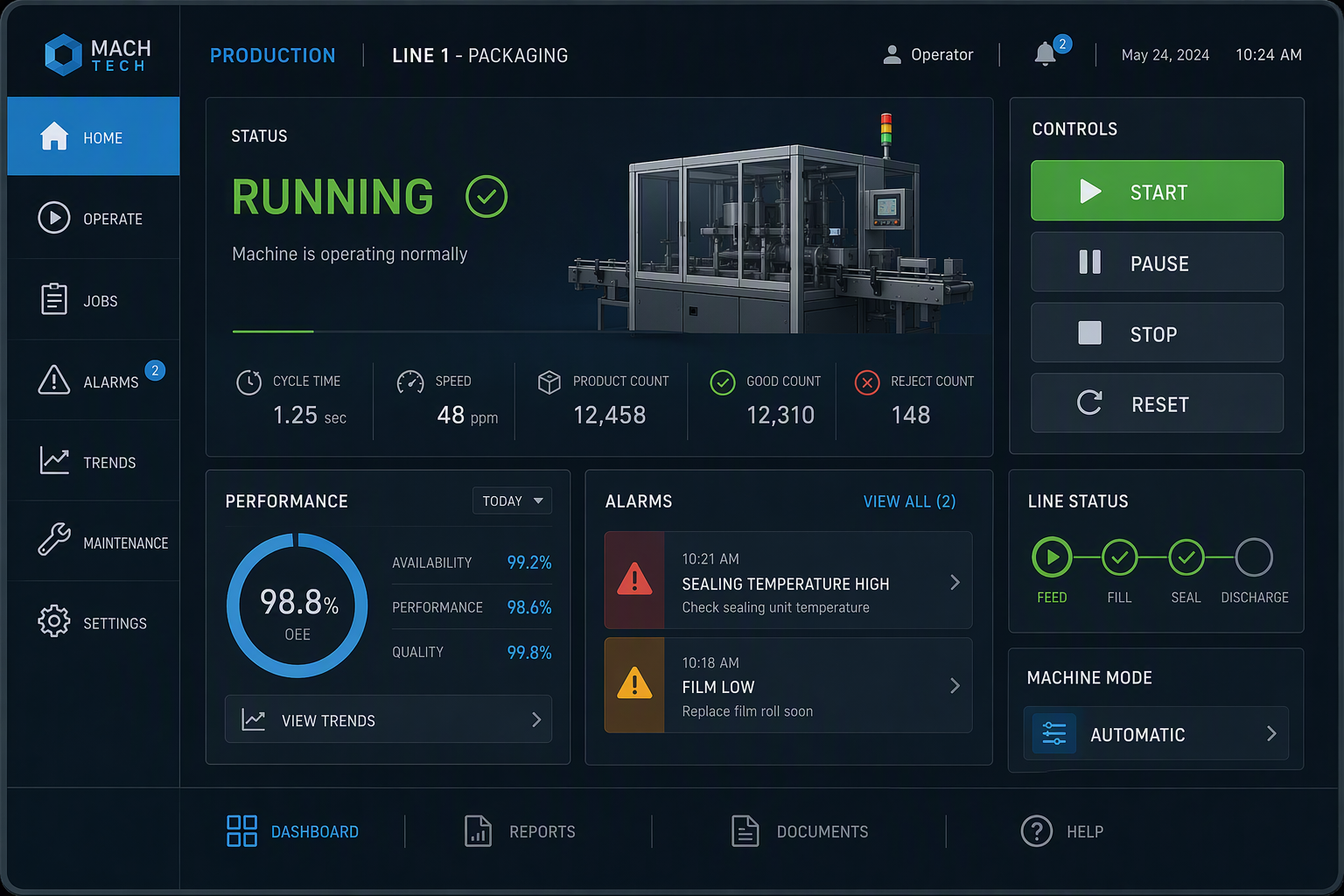
- Touch interfaces make machine interaction more direct.
- Relevant information on one display improves user experience.
Common HMI Design Tools and Platforms
HMI development has grown from basic buttons and indicator lamps to software-driven screens with flexible layouts. Today, hmi software is used to create displays for a local control panel, a machine-mounted screen, or a broader supervisory control setup.
These platforms are built to present user interfaces that match the application. Some focus on single machines, while others help monitor larger processes. In both cases, the goal stays the same: give operators a clear way to view status, enter commands, and keep work moving.
- Machine-level HMI software supports direct equipment interaction.
- Control panel displays help operators monitor local process conditions.
- Larger platforms can support supervisory control across wider systems.
- Practical hmi development centers on clarity and fast response.
Integrating HMIs with PLCs in Springfield Facilities
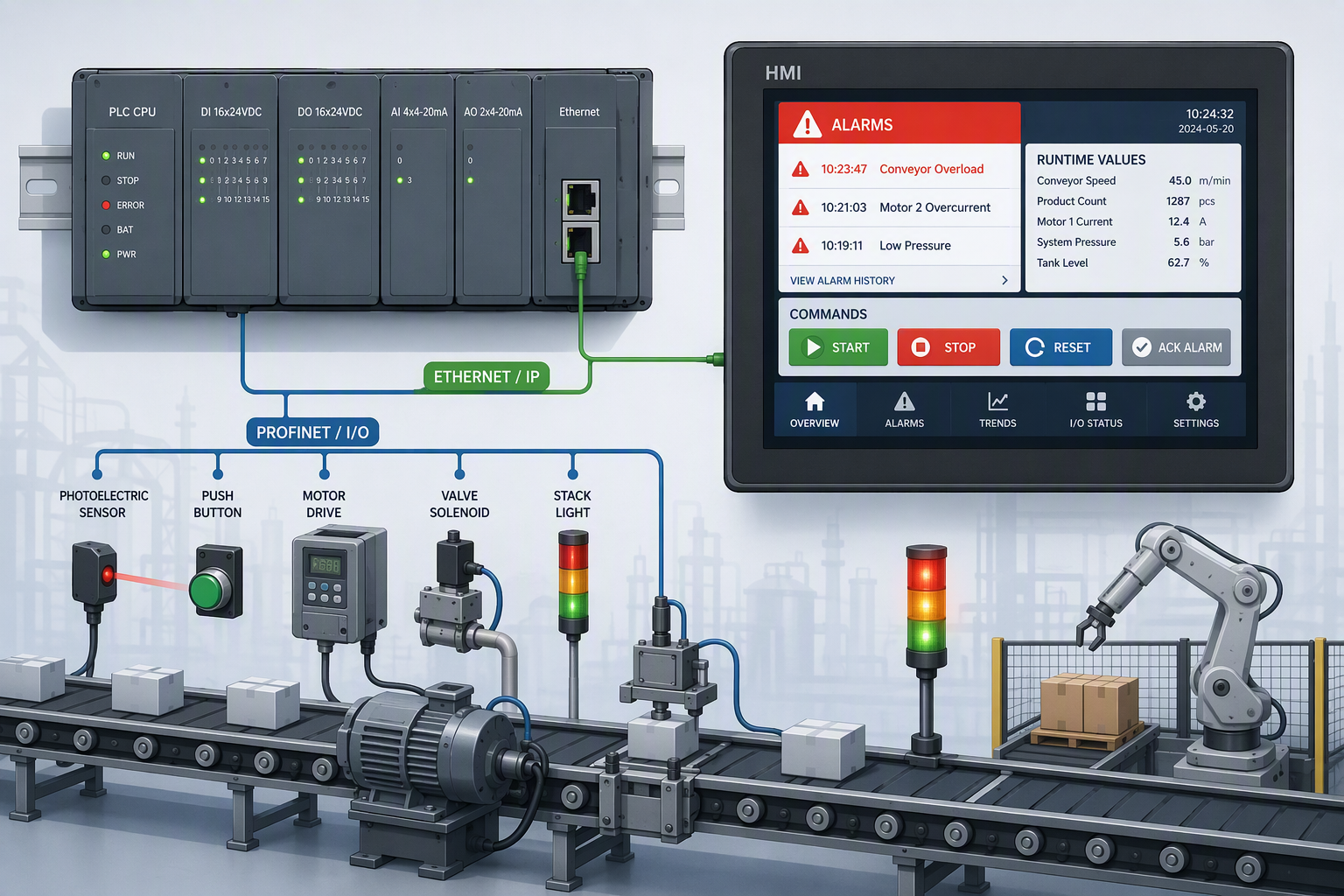
An hmi system and plc systems each serve different purposes, but they work best together. The PLC runs the machine logic. The HMI displays system status, accepts operator entries, and sends commands back through the defined communication path. That gives people a usable window into the machine.
In Springfield facilities, this setup is helpful on production lines where operators need quick feedback. A user can start or stop a sequence, check alarms, or review running conditions without touching the underlying controller code. The PLC still manages the actual control machinery in real time.
This interaction improves both speed and clarity. Operators can make informed choices, while the PLC continues carrying out control functions in the background. That balance makes integrated automation easier to manage and easier to maintain.
PLC and HMI Integration for Industrial Control
In industrial control systems, integration matters because machine logic and operator visibility need to work together. PLC systems handle the real time decision-making, while hmi programming gives your team a practical way to monitor and guide the process.
When these tools are connected well, you get stronger control, faster troubleshooting, and smoother daily operation. One manages the actions. The other presents the information. The next sections show why that pairing adds value, how communication works, and where it appears in Springfield applications.
Advantages of Combined PLC and HMI Systems
Using both tools together gives industrial systems a better balance of control and visibility. The PLC handles the machine response, and the HMI gives operators a way to understand what is happening. That pairing creates unique advantages that neither device offers alone.
You can streamline operations because control decisions and user input stay connected. Operators do not have to work blindly, and maintenance teams can react faster when a problem appears. Better screens also support data acquisition by making values, states, and trends easier to review.
- Combined systems improve user interfaces for operators.
- Connected control and display functions streamline operations.
- Better visibility supports data acquisition and faster response.
How Communication Works Between PLC and HMI
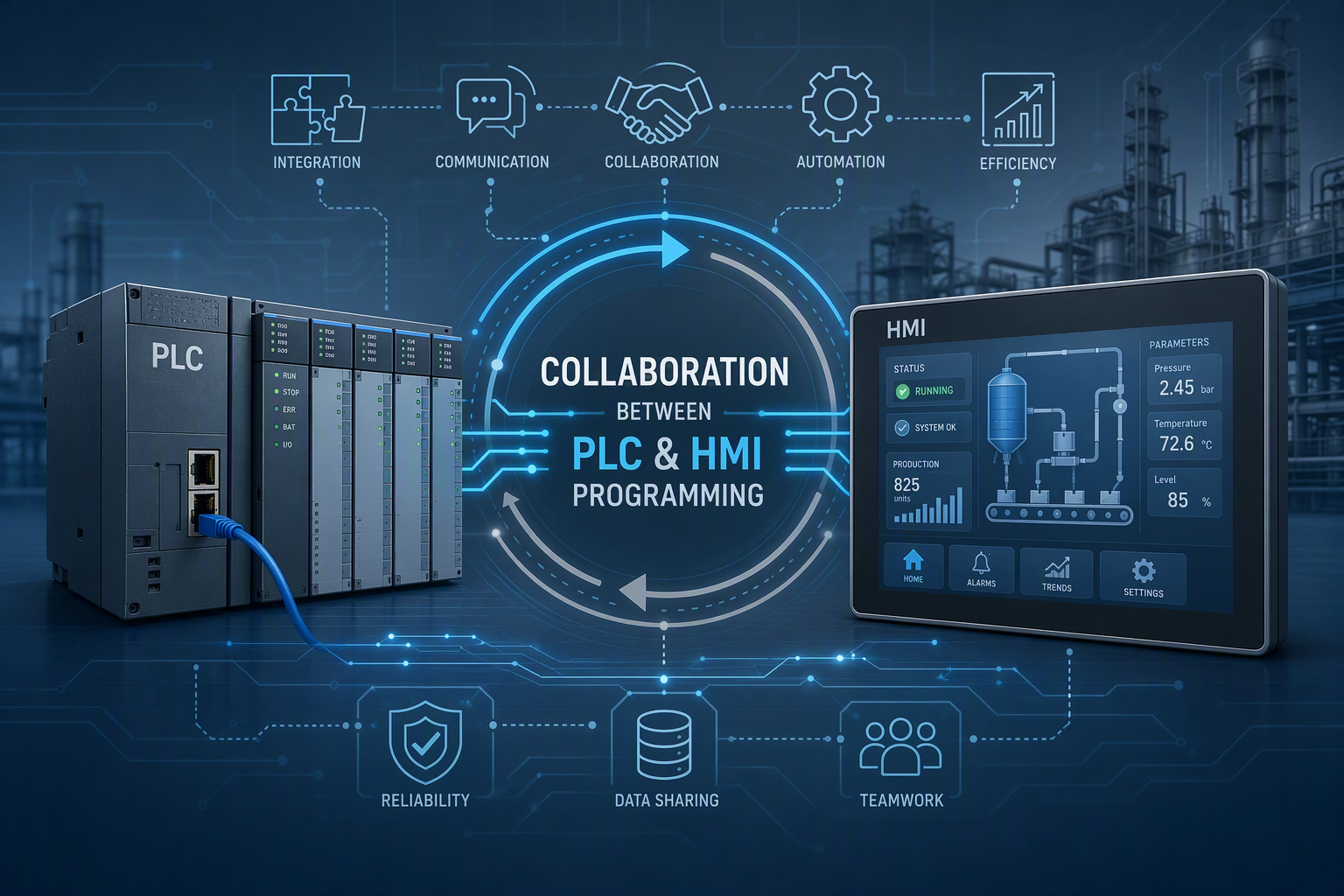
Communication between a PLC and HMI follows a simple pattern. The PLC receives signals from input devices, processes the control logic, and updates machine outputs. The HMI reads selected values from that controller and shows them on screen for the operator.
At the same time, the operator can enter a command through the HMI. That request is passed back to the PLC, which decides how to act based on the programmed industrial control rules. The HMI does not replace the PLC. It depends on the PLC to carry out the real machine actions.
This is why the relationship is so effective. One side manages system status and operator access, while the other manages execution. Clear communication between the two improves consistency, troubleshooting, and operator confidence across the automation system.
Examples of Industrial Control Solutions in Springfield MO
In Springfield MO, industrial control solutions often use a PLC and HMI together because many industrial processes need both automation and human oversight. A simple example is a conveyor-based production line. The PLC runs the sequence, while the HMI lets the operator start, stop, and monitor the machine.
This setup also fits water treatment and other utility-style operations. The PLC manages timing, responses, and equipment states. The HMI displays levels, alarms, and running conditions. That gives staff a direct way to watch the process without changing the core logic.
- Production lines use PLCs for sequencing and HMIs for monitoring.
- Manufacturing processes benefit from fast status checks and operator input.
- Local plants use combined systems to improve control and visibility.
Steps to Get Started with PLC and HMI Programming
Getting started with plc programming and hmi programming is easier when you break it into steps. First, learn what each device does. Then focus on essential skills such as reading machine logic, understanding user screens, and seeing how signals move through a system.
Beginner training should also include practical learning resources that show real automation tasks. Start with core concepts, then move to simple projects and system interaction. Once that foundation is in place, you can build stronger programming habits, better design choices, and safer automation work.
Essential Skills and Training for Beginners
If you are new to industrial automation, begin with the basics instead of jumping into large systems. You need to understand what a PLC controls, what an HMI displays, and how operators use screens to interact with machinery. That foundation makes later training much easier.
From there, focus on practical plc programming ideas and clear user interfaces. Learn how inputs affect outputs, how control logic is structured, and how an HMI presents machine data. Beginners grow faster when they see the connection between code, equipment, and operator action.
- Learn the roles of PLCs and HMIs first.
- Practice reading simple control logic and machine flow.
- Study how user interfaces support operator decisions.
- Choose training that connects theory to real equipment behavior.
Recommended Courses and Learning Resources
Good learning resources should help you understand device roles, machine communication, and operator interaction without overcomplicating the subject. Since the compiled information centers on practical industrial automation use, the best training is the kind that explains real machine control and real screen behavior.
Look for resources that cover plc programming, hmi programming, and the reasons facilities use both. A strong beginner path explains how controllers process signals, how HMIs display system status, and how both tools support maintenance and overall efficiency in plant settings.
- Choose training that explains PLC and HMI functions clearly.
- Use learning resources that include real industrial automation examples.
- Focus on material that shows machine control and screen interaction.
- Prefer beginner content that supports gradual skill building.
Tips for Developing Efficient Automation Programs
Efficient automation starts with simple thinking. Write control logic that matches the process clearly and avoids confusion during maintenance. In industrial processes, the best program is often the one a technician can understand quickly when a line stops or a machine behaves unexpectedly.
Your programming language choice should also support readability. Ladder logic remains popular for that reason. On the HMI side, keep screens focused on user experience. Operators need fast access to alarms, commands, and relevant information, not crowded displays that slow decisions.
- Keep control logic organized and easy to follow.
- Match the programming language to maintenance needs.
- Design screens around user experience and fast action.
Real-World Applications in Springfield MO
Real world automation in Springfield MO often depends on pairing machine control with clear operator access. That is why PLC and HMI systems appear together in manufacturing processes, utility operations, and other local control systems.
A simple example is a production line where the PLC runs motors and sequences while the HMI shows alarms, runtime values, and command buttons. This combination supports industrial automation by making machine behavior consistent and easier for people to manage. The examples below show how that looks in practice.
Case Studies from Manufacturing Companies
Manufacturing companies often use PLC and HMI combinations because assembly lines need both precise machine control and quick operator feedback. The PLC manages sequences and timing, while the HMI or control panel gives staff a clear view of status, faults, and commands.
These case studies do not need to be complex to show value. In many industrial systems, a simple screen tied to a reliable controller improves uptime, reduces confusion, and helps teams act faster when conditions change.
| Application | PLC Role | HMI Role |
|---|---|---|
| Conveyor assembly line | Runs sequence logic and motor control | Shows status, start/stop commands, and alarms |
| Packaging equipment | Coordinates sensors and output actions | Displays settings and machine conditions |
| Automated warehouse flow | Manages movement logic | Provides operator overview through a control panel |
Use of PLC and HMI in Water Treatment Plants
Water treatment is a clear example of industrial control where both platforms matter. A PLC handles the programmed responses tied to pumps, sensors, and operating conditions. HMI programming gives operators a direct view of system status so they can monitor the process without working inside the controller.
This setup supports consistent operation and faster response when values move out of range. Instead of relying only on physical indicators, teams can use screens to view alarms, current conditions, and process information in a more organized way.
- PLC programming manages equipment actions and logic flow.
- HMI programming displays system status and operator controls.
- Water treatment benefits from clear monitoring and dependable response.
City Infrastructure Projects Utilizing Automation
City infrastructure projects also benefit from industrial automation when operators need clear oversight of distributed equipment. In these settings, PLCs handle local process control, while HMIs or connected software help staff supervise conditions and respond to issues.
For broader systems, remote access and supervisory control become especially useful. They allow teams to review status without standing next to every device. That can improve visibility, save time, and support safer operation where equipment is spread across multiple locations.
- City infrastructure uses automation for dependable process control.
- Remote access supports monitoring across wider service areas.
- Supervisory control improves oversight of connected systems.
Conclusion
In conclusion, understanding PLC and HMI programming is essential for enhancing industrial automation in Springfield, MO. By mastering these systems, you can significantly improve operational efficiency and maintain competitiveness in an ever-evolving market. From the basics of PLC programming to the intricacies of HMI design, the integration of these technologies opens doors to numerous real-world applications, such as in manufacturing and city infrastructure projects. Embrace the advancements in automation technology, and take the first step towards building your expertise in this field. If you're ready to dive deeper into the world of PLC and HMI programming, don't hesitate to get in touch with us for a free consultation.
Frequently Asked Questions
Do I need to learn PLC programming before HMI?
You do not have to master plc programming before starting hmi programming, but it helps to understand basic PLC behavior first. In beginner training, learning how machines respond makes user interfaces easier to design. Since both tools work together in industrial systems, a basic grasp of both is the best path.
What are the main benefits of HMI in automation systems?
The main benefits of a human machine interface are clearer user interfaces, easier monitoring, and faster operator response. In industrial automation, hmi programming helps people view alarms, status, and commands in one place. That improves control systems by reducing confusion, supporting troubleshooting, and lowering human error.
Where can beginners find reliable resources in Springfield MO?
Beginners in Springfield MO should look for learning resources and industrial training that explain real machine control, operator screens, and system interaction. The strongest options for plc programming and hmi programming are resources that connect theory to practical automation tasks, not just isolated software lessons.