Micro-Stops: The Hidden Downtime
Micro-Stops: The Hidden Downtime Bleeding Your Plant’s OEE
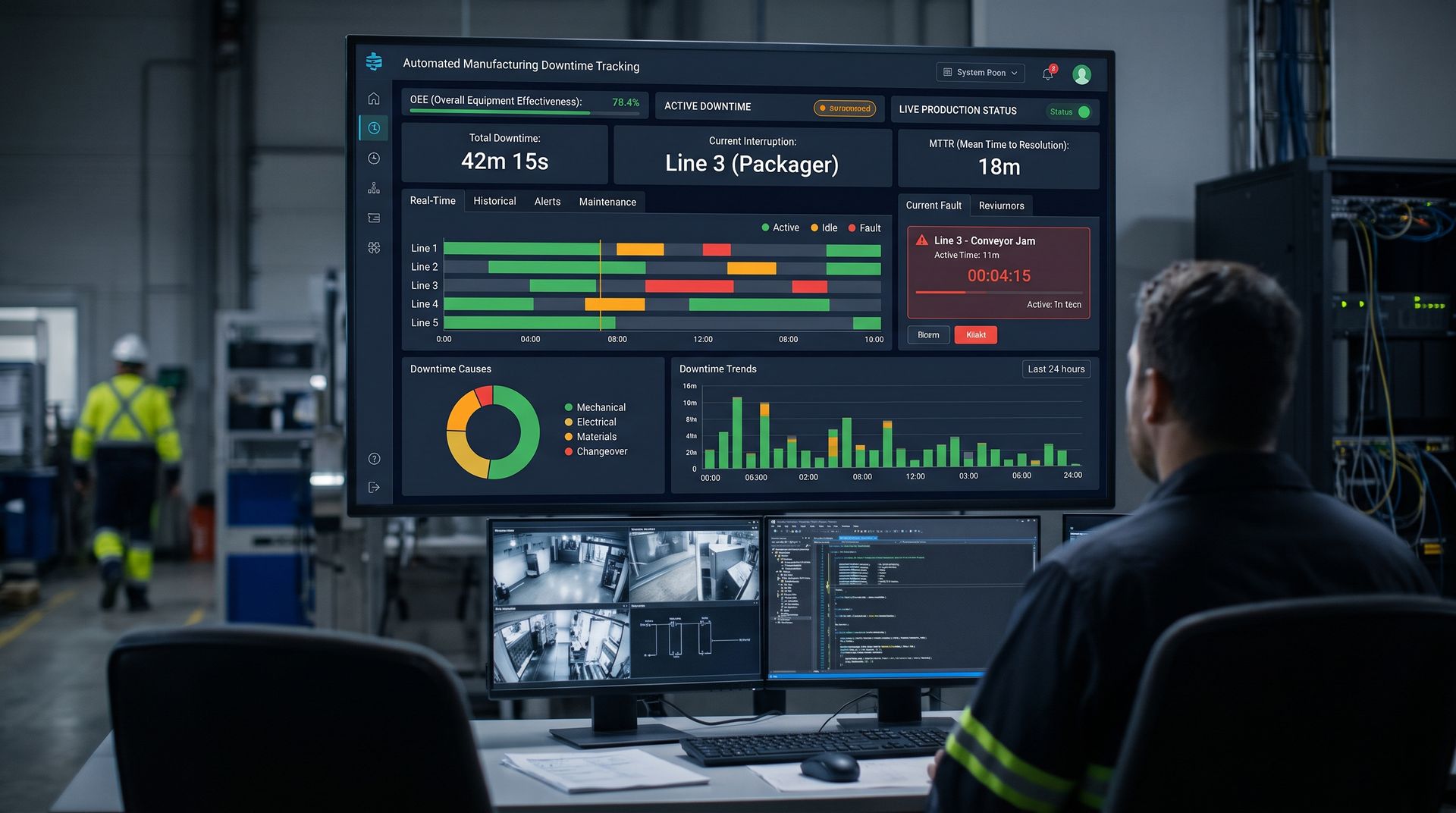
When manufacturing leadership reviews downtime reports, their attention naturally gravitates toward the large, dramatic events: a main motor drive failure that shuts a line down for four hours, a catastrophic mechanical crash on a rotary filler, or a two-hour power outage. These major failures are thoroughly documented, investigated, and discussed in executive summaries.
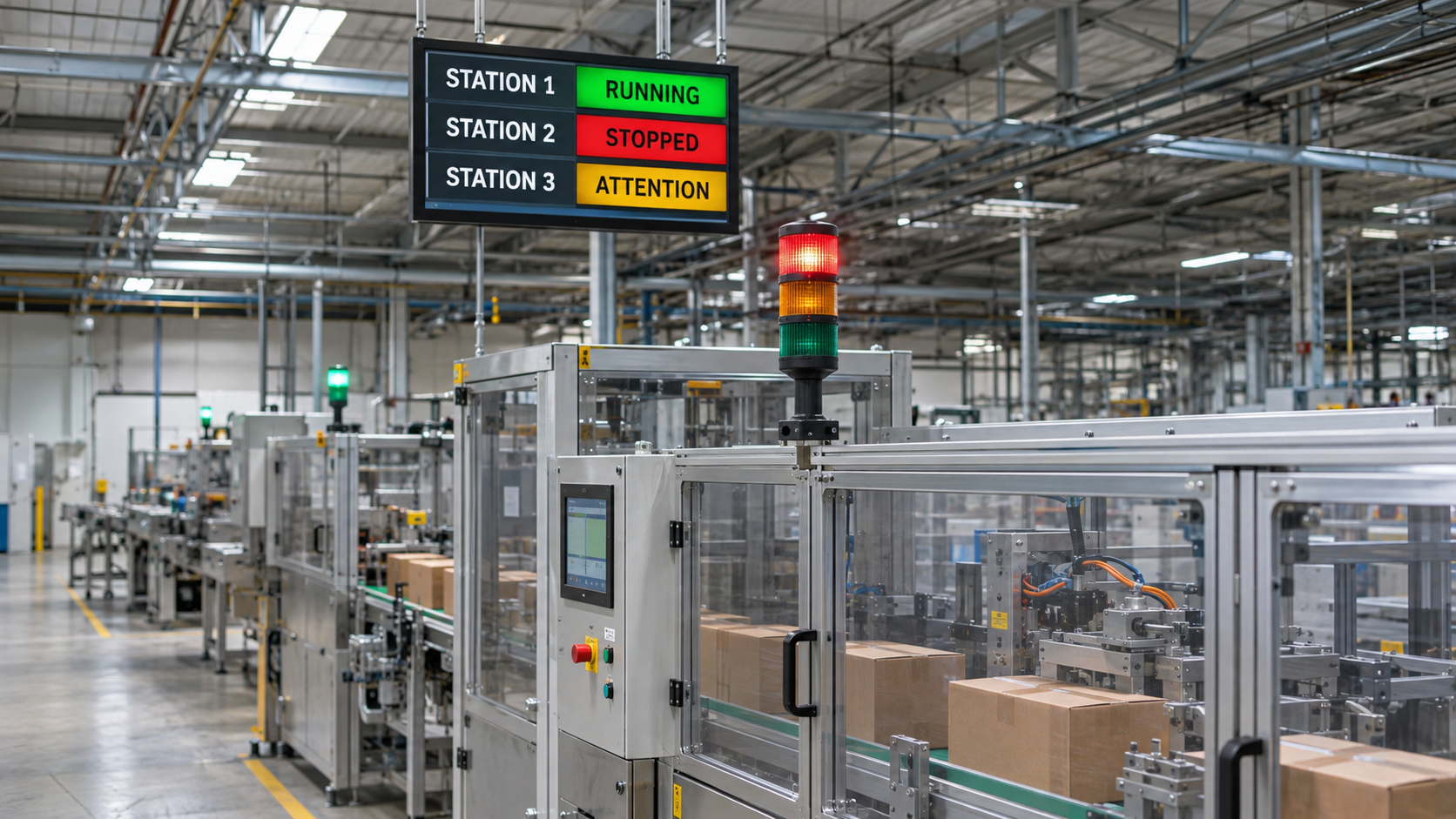
Yet, in high-speed discrete manufacturing, packaging, and assembly operations, major breakdowns are rarely the primary source of lost capacity. The far more dangerous drain on plant profitability is the phenomenon of micro-stops: short-duration stoppages that last anywhere from two seconds to two minutes.
A carton flaps open and trips an optical sensor; an operator clears the jam in 15 seconds. A container misaligns on a starwheel; a technician nudges it into place in 30 seconds. A vision system rejects three consecutive parts due to a momentary lighting flicker; the line automatically pauses and resets in 20 seconds.
Individually, these events seem trivial. Operators do not record them, maintenance is never dispatched, and no work orders are generated. But when a high-speed line running at 400 parts per minute suffers forty of these 30-second micro-stops over an eight-hour shift, the plant loses 20 minutes of absolute production time—representing 8,000 unproduced units, an entire batch of lost capacity, and a massive drop in Overall Equipment Effectiveness (OEE).
Here is why micro-stops remain invisible in most plants, the engineering failures that cause them, and how to capture and eliminate them using automated PLC and historian architectures.
Mistake #1: Setting Minimum Downtime Thresholds in Your Logging Systems
Why it happens: When SCADA or MES systems are configured, system integrators often implement a software deadband or minimum downtime threshold—typically set at 2, 3, or even 5 minutes. The logic seems sound during commissioning: "We don't want to spam the database with thousands of minor records every time an operator pauses the infeed conveyor for ten seconds."
What it costs: By filtering out events under three minutes, you blind your management team to the single largest category of lost production. A line can experience sixty 45-second stops during a shift—representing 45 minutes of lost production—yet the official downtime report will claim the line experienced zero minutes of unplanned downtime.
The lost production cannot be accounted for in Availability, so it gets erroneously shoved into the "Performance" loss category, leading management to falsely conclude that the line was simply running slow.
The fix: Eliminate arbitrary time filters in your data architecture. Configure your PLC and Data Historian to record every single stoppage event, down to a single machine cycle. Modern time-series historians and industrial databases are engineered to process tens of thousands of records per second without performance degradation. If a machine stops for three seconds, that event must be captured, timestamped, and stored.
Mistake #2: Forcing Operators to Manually Categorize Sub-Minute Stops
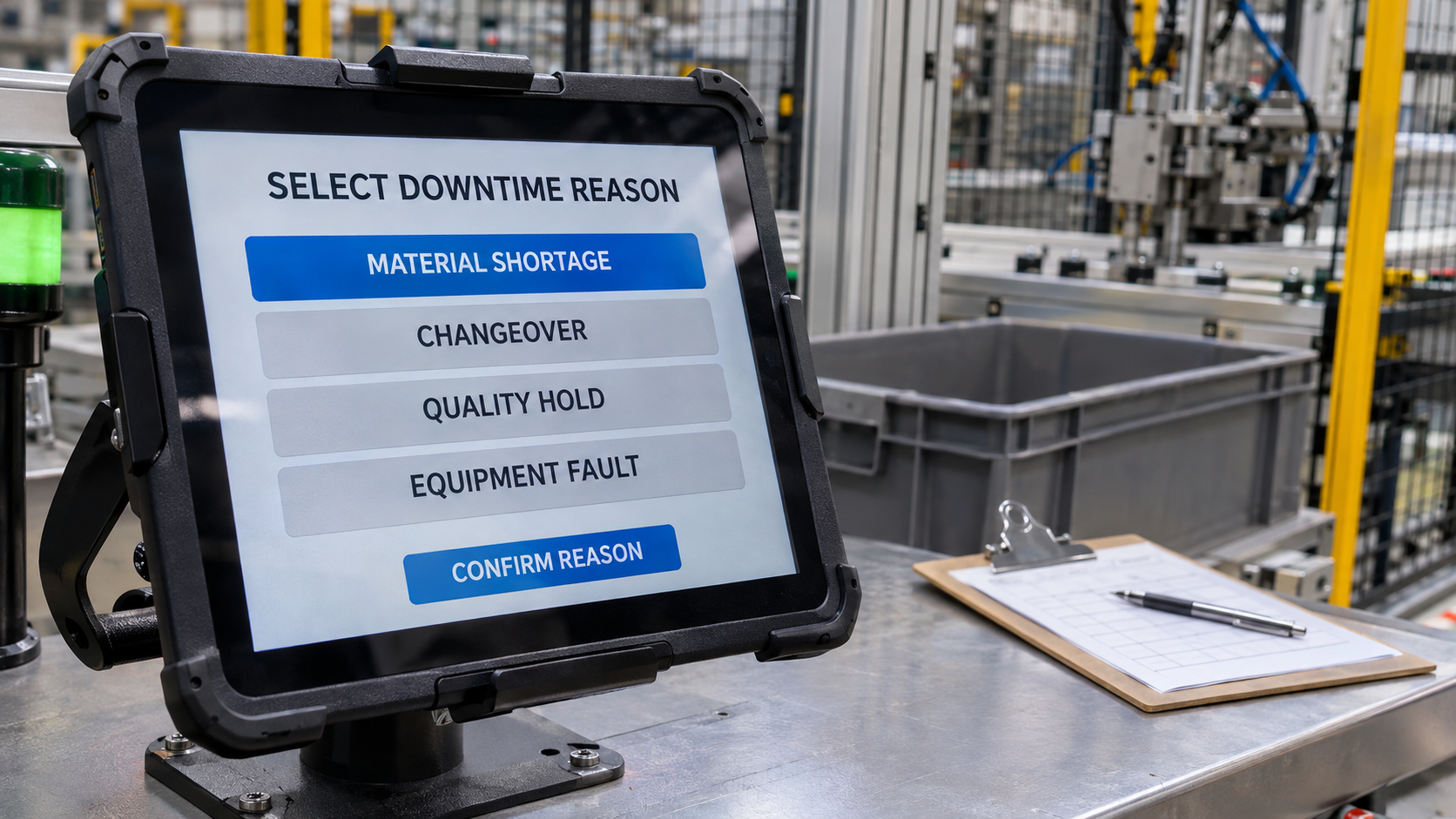
Why it happens: Management recognizes that micro-stops are an issue, so they configure the HMI to pop up a mandatory downtime reason modal window every time the machine stops, demanding that the operator select a reason before resuming production.
What it costs: This approach causes severe operator frustration and actively decreases plant productivity. If an operator has to spend 30 seconds interacting with an HMI screen to log a 5-second jam, the reporting mechanism takes longer than the physical fix.
Operators quickly learn to bypass the system by mashing the closest button on the screen, selecting
General Error
or
Other
. The data becomes completely corrupted, and line operators view the automation system as an impediment to their jobs rather than a supportive tool.
The fix: Automate micro-stop categorization entirely at the PLC level without human intervention. The PLC logic already knows which sensor interlock opened, which safety circuit tripped, or which drive threw a transient fault code. Have the PLC automatically log the specific physical tag that caused the momentary stop. Reserve manual operator interaction strictly for major outages that exceed 5 or 10 minutes.
Mistake #3: Ignoring Sensor Chattering and Marginal Alignment
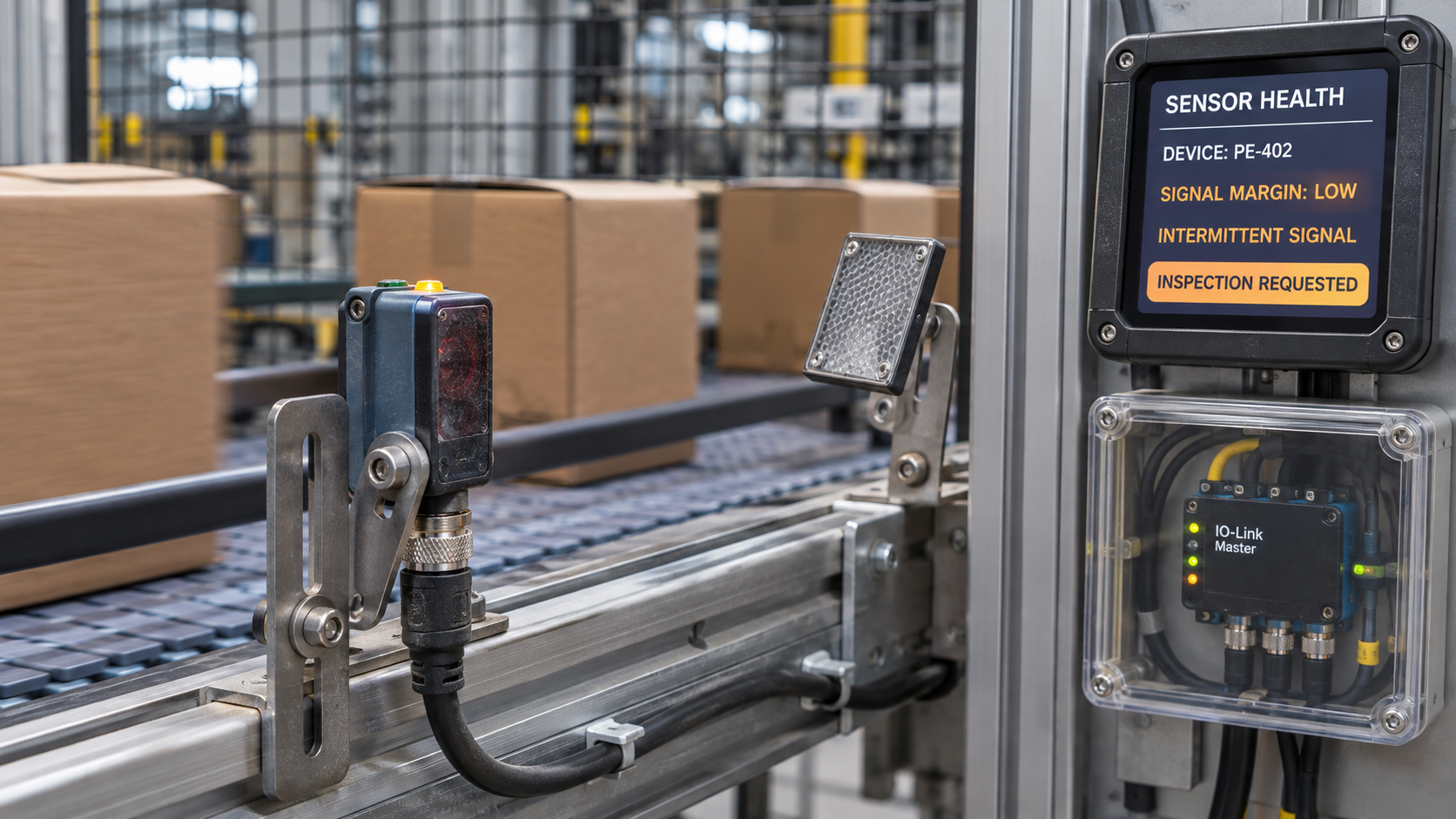
Why it happens: Micro-stops are frequently caused by sensors operating on the structural edge of their detection envelopes. An optical photo-eye might be slightly misaligned, vibration might cause a retroreflective reflector to wobble, or dust accumulation on a lens might lower signal margins just enough that rapid product flow causes the signal to intermittently drop out for 50 milliseconds.
What it costs: The PLC sees a legitimate loss of signal and commands a controlled stop. By the time the operator walks over to inspect the machine, the sensor is clear and healthy. The operator presses reset, the machine starts, and the event is written off as an unexplainable "ghost in the machine." Over a month, this single marginal sensor can cause hundreds of micro-stops without ever suffering a permanent, detectable failure.
The fix: Implement intelligent sensing technologies like IO-Link combined with high-resolution PLC diagnostics. Modern IO-Link optical and proximity sensors report signal strength, optical reflectivity, and internal temperature back to the PLC as process data.
Empowered Automation builds predictive diagnostic routines inside PLC logic that detect "sensor chatter" and margin degradation before it triggers a line stoppage, alerting maintenance that a specific sensor requires cleaning or mechanical realignment.
Mistake #4: Misdiagnosing Upstream/Downstream Line Surges as Machine Flaws
Why it happens: An isolated machine inside a packaging cell stops for 10 seconds. Technicians crowd around the machine's mechanical components, tweaking servomotor gains, adjusting timing belts, and modifying pneumatic pressures.
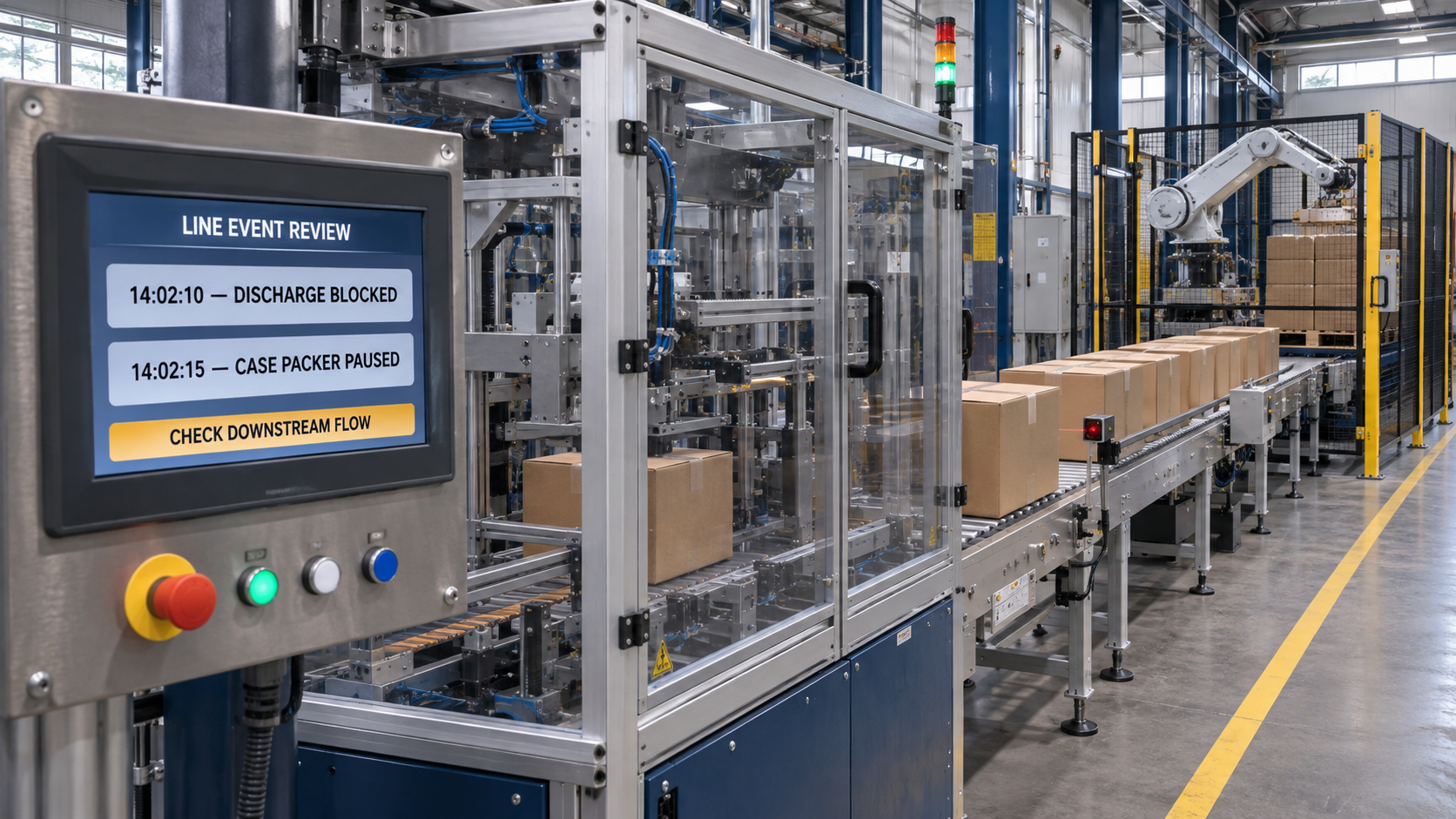
What it costs: High-speed packaging lines behave like fluid hydraulic systems. A micro-stop on a case packer is often not caused by the case packer at all; it is caused by a momentary product surge from an upstream conveyor, or backpressure from a downstream palletizer that momentarily tripped an infeed or discharge photo-eye. Tweaking the mechanical components of a machine that is simply responding to poor line balancing introduces artificial mechanical wear and destabilizes the equipment further.
The fix: Analyze micro-stops contextually across the entire line using automated time-series correlation. By mapping high-resolution event logs from adjacent machines onto a single SCADA timeline, engineers can trace the propagation wave of micro-stops. If the case packer's micro-stops are always preceded by a 5-second backpressure state on the downstream conveyor, the solution lies in tuning conveyor VFD ramp rates, not wrenching on the case packer.
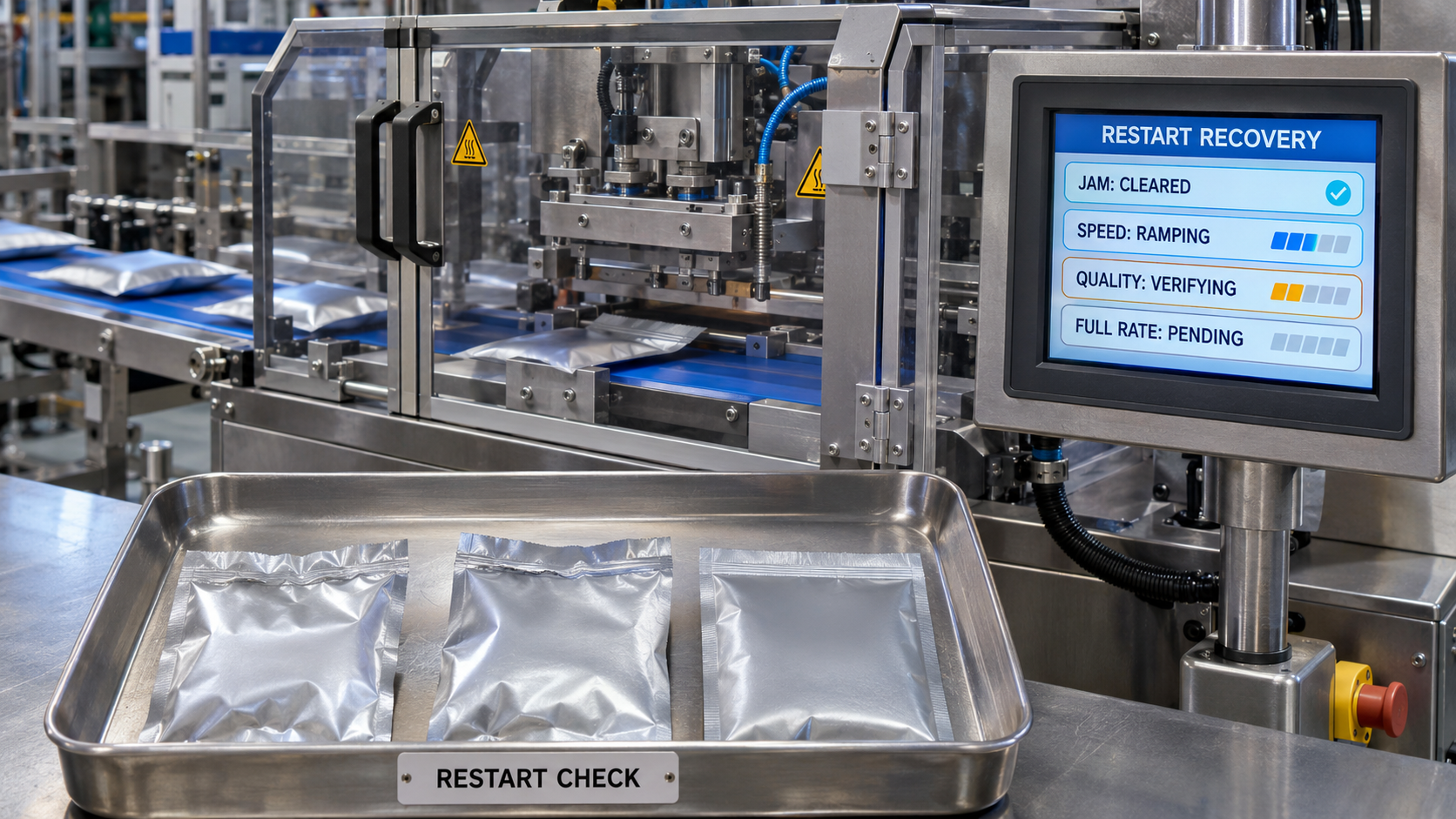
The Compounding Cost of Micro-Stops
The financial impact of micro-stops extends far beyond the raw seconds of lost time. Consider the physical mechanics of restarting high-speed equipment:
[ Normal Run Speed ] ──────┐ (Instantaneous Jam)
▼
[ Immediate Machine Stop ]
│ (Clear Jam & Reset: 20 seconds)
▼
[ Machine Restart ]
│ (Acceleration / Ramp-Up: 10 seconds)
▼
[ Quality Stabilization ]
│ (Thermal equilibrium, seal pressures: 15 seconds)
▼
[ Resumed Full Run Speed ]
A 20-second physical stoppage frequently results in:
- 10 seconds of ramp-down and ramp-up time at reduced speeds.
- Transient quality defects: Improper heat seals, misaligned labels, or incorrect fill weights produced during acceleration.
- Increased mechanical wear: Repeated thermal cycling and mechanical stress caused by sudden emergency stops and restarts.
When calculated accurately, a 20-second micro-stop often costs 45 to 60 seconds of effective production capacity.
Micro-Stops Audit Checklist
Use this checklist to identify whether micro-stops are silently eroding your plant’s operational efficiency:
- [ ] Zero-Deadband Logging: Is your SCADA/Historian system capturing machine stoppage events down to the individual second, with no minimum time filter?
- [ ] Automated Tag Attribution: Does your control system log the specific PLC sensor bit responsible for sub-minute stops without requiring operator input?
- [ ] Frequency Tracking: Can your downtime reporting platform display a Pareto chart ranked by number of occurrences alongside total duration?
- [ ] Sensor Health Monitoring: Are you utilizing smart sensor telemetry (such as IO-Link) to catch signal degradation and chatter before a fault occurs?
- [ ] Line-Pressure Tuning: Have VFD acceleration/deceleration profiles been tuned to prevent upstream and downstream accumulation shockwaves?
Conclusion
Major breakdowns demand attention, but micro-stops steal your capacity. Treating sub-minute stops as acceptable operational friction is the single most common reason high-speed manufacturing lines fail to hit their designed OEE targets.
Micro-stops are not inevitable "gremlins"—they are clear, physical signals of mechanical wear, marginal sensor alignment, or poor line control. By removing arbitrary downtime deadbands, automating fault attribution at the PLC level, and historizing every single machine state change, you can bring these hidden losses into the light and reclaim your lost plant capacity.
Ready to Eliminate Hidden Micro-Stops?
Empowered Automation Solutions specializes in high-speed data acquisition, control system optimization, and SCADA visualization. Our team configures PLC architectures capable of capturing millisecond events, deploys modern Data Historians that store billions of operational samples without slowdowns, and designs intuitive HMI screens that keep operators focused on production.
Stop letting micro-stops dictate your plant's profitability:
- Phone: (630) 553-0411
- Email: info@empoweredautomation.com
- Address: 1905 Marketview Dr., Suite 138, Yorkville, IL 60560
Frequently Asked Questions
Why don't standard OEE calculation tools capture micro-stops effectively?
Standard OEE systems often rely on manual operator entries or coarse polling intervals (e.g., once per minute). A stop that lasts 20 seconds can easily fall entirely between two polling scans. Because the machine was seen running on both scans, the system calculates that the machine was available for the entire minute, masking the lost time completely.
Will logging every 2-second micro-stop overwhelm our database?
Not if you use a purpose-built industrial data historian. While standard relational databases (like MySQL or SQL Server) struggle with millions of rapid timestamp-value pairs, modern time-series historians use optimized storage engines, exception logging, and swinging-door compression to handle high-frequency events effortlessly without bloating disk space.
What mechanical issues most commonly cause micro-stops in packaging?
The vast majority of micro-stops trace back to three culprits: marginal optical sensors (dirty lenses, loose mounting brackets), mechanical guide-rail friction causing containers to tip or bind, and worn pneumatic actuators that occasionally fail to extend within their designated PLC timer windows.
How do we differentiate between an operator break and a micro-stop?
Contextual PLC logic makes this distinction clear. If a machine stops with an active safety interlock or sensor trip bit, it is an unplanned micro-stop. If the machine stops because an operator pressed the controlled "Pause" button, or if the stop occurs precisely at a scheduled break time without active fault bits, the system classifies it as planned idle time.
You might also like