OPC DA vs OPC UA: What's the Difference?
OPC DA vs OPC UA: What's the Difference?
Key Highlights
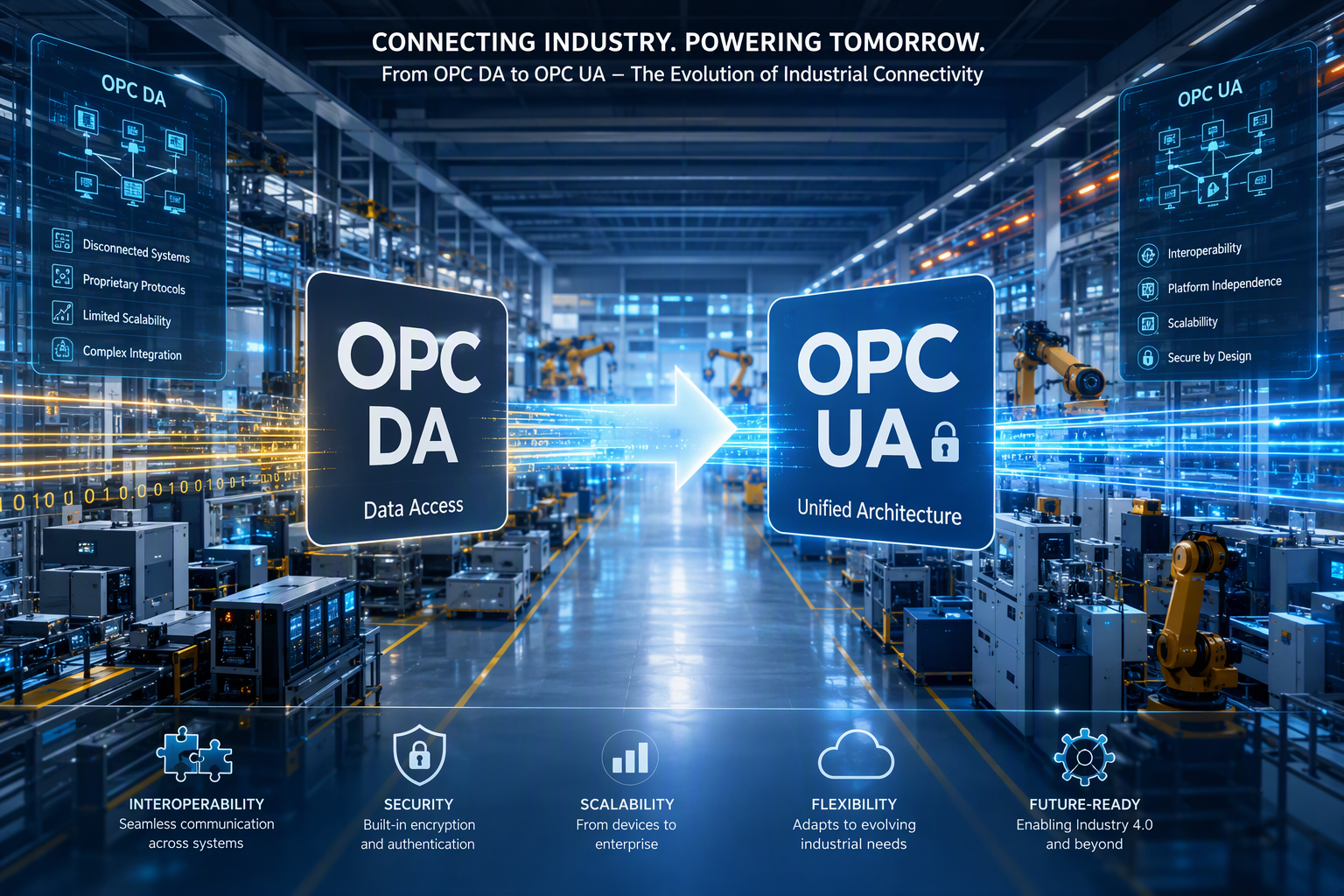
- OPC DA and OPC UA both support industrial automation data exchange, but they were built for different eras.
- OPC DA depends on Windows and DCOM, while OPC UA works across platforms and modern control systems.
- Security is a major difference, with OPC UA offering built-in protection features that OPC DA lacks.
- OPC DA still fits some legacy systems with simple process data needs.
- OPC UA supports richer data structures, cloud integration, and future growth.
- Your best choice depends on infrastructure, security, and expansion plans.
Introduction
If you are comparing OPC DA vs OPC UA, you are likely trying to connect machines, software, and control systems without adding risk or complexity. Both belong to the open platform communications family, but they solve different problems. OPC DA helped standardize real-time plant data years ago. OPC UA was built later for secure, flexible connectivity across modern environments. Understanding where each one fits can help you make a smarter decision for your operation.
Understanding OPC: The Foundation of Industrial Connectivity
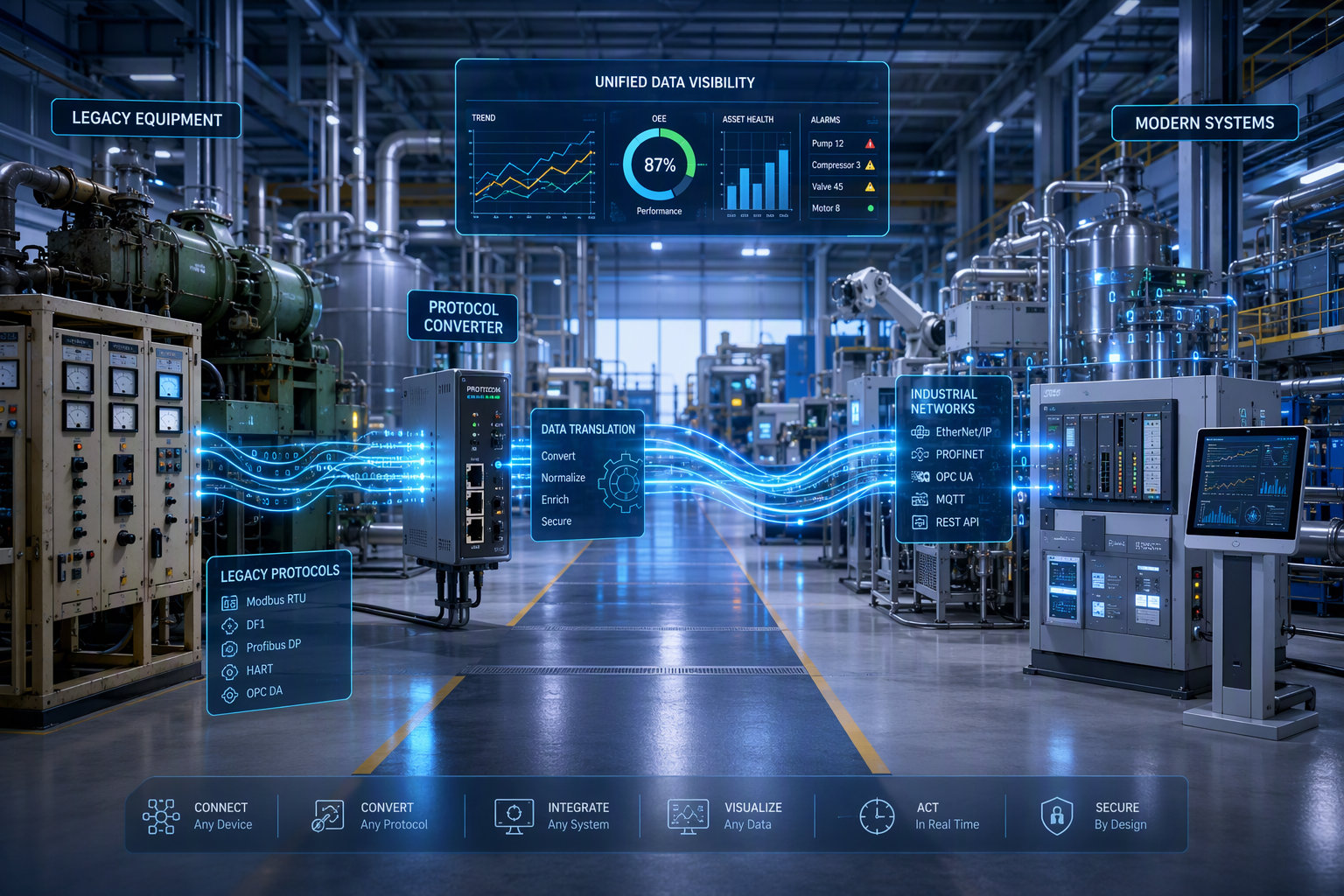
Across industrial automation, OPC has long served as a common communication protocol for machines and software applications from different vendors. It reduces the need for custom drivers and creates a standard way for a client application to access plant data.
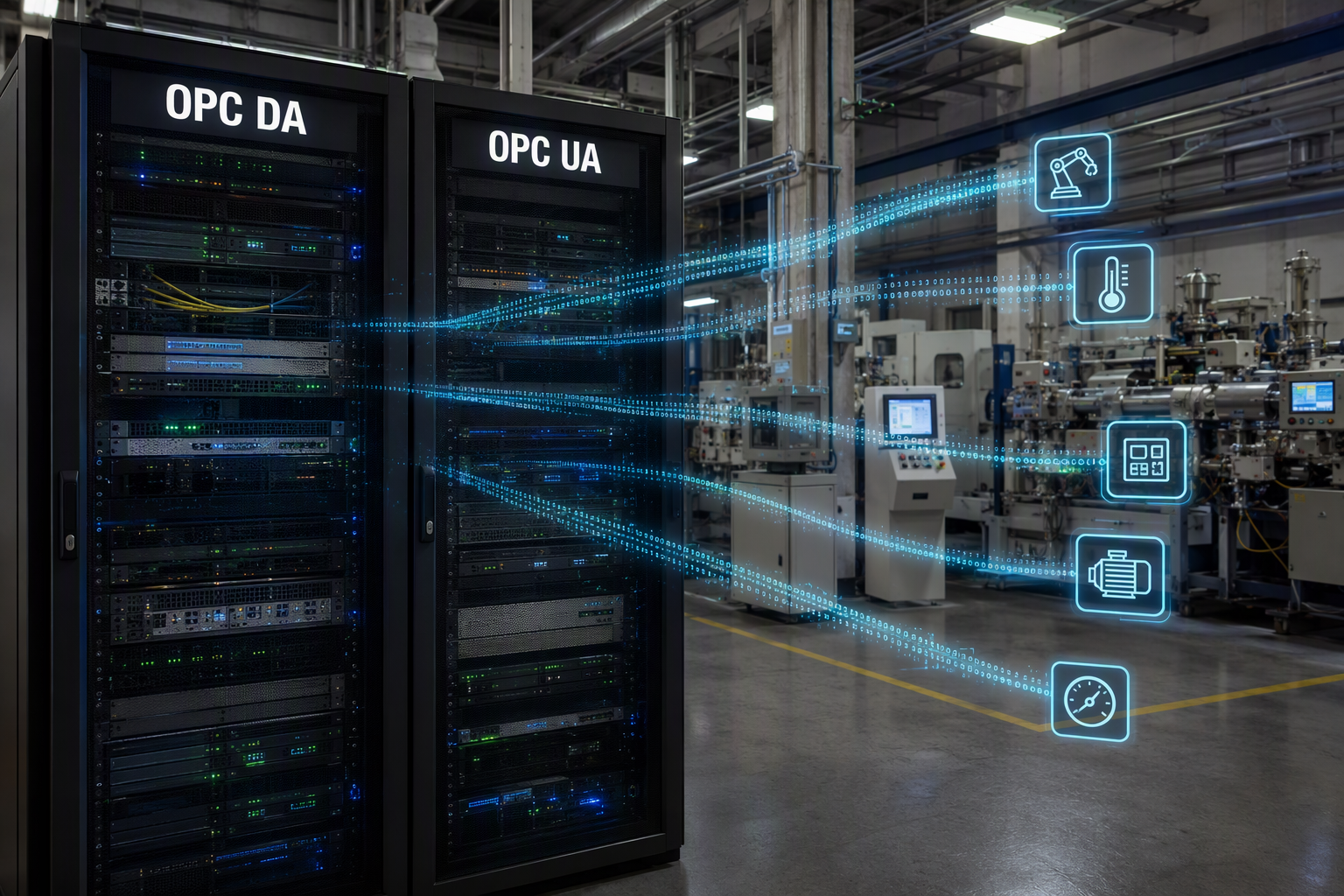
That common layer matters because factories rarely run a single brand of equipment. The OPC Foundation developed open platform communications standards to make data exchange more consistent across industrial systems. To understand OPC DA vs OPC UA, it helps to start with the meaning, history, and major OPC types.
What Does OPC Stand For? (Link to empoweredautomation.com/what-does-opc-stand-for)
OPC stands for OLE for Process Control. It is a series of standards that enable different software applications to communicate with industrial hardware. This interoperability allows for seamless data exchange and enhances system integration in various automation processes.
The Evolution of OPC Technologies
The first major era was OPC Classic. Released in the mid-1990s for Windows environments, it relied on Microsoft COM/DCOM and split functions into separate specifications. OPC DA handled real-time data exchange, OPC A&E handled alarms, and OPC HDA covered historical data access.
As manufacturing systems changed, that model started to show strain. Plants needed stronger security, easier networking, and better connectivity beyond isolated local systems. Legacy systems still used OPC Classic successfully, but new needs were growing fast.
OPC UA arrived in 2006 as the next step. It combined functions into one framework and removed the dependence on COM/DCOM. It also introduced information models, cross-platform support, and secure communication. That is a core advantage of OPC UA over OPC DA: it supports modern integration needs without being tied to older Windows-only architecture.
Overview of OPC Types (Link to empoweredautomation.com/what-are-the-2-types-of-opc)
Open Platform Communications, or OPC, encompasses various standards tailored for industrial automation. The primary types are OPC DA and OPC UA. OPC DA (Data Access) focuses on providing real-time data exchange in Windows environments, typically within SCADA systems, while OPC UA (Unified Architecture) enhances this capability through a robust, platform-independent protocol, facilitating seamless communication across different systems, including cloud platforms. Each type serves unique use cases, enabling effective data integration in operational technology and enterprise systems. For more detailed explanations, check out what OPC stands for and explore the two types of OPC.
Unpacking OPC DA (Data Access)
OPC DA was built to standardize real-time data access between industrial devices and software. It gave SCADA systems, HMIs, and other clients a common way to read, write, and subscribe to process data through an OPC server.
For many manufacturers, that was a major improvement over proprietary drivers. OPC DA remains familiar in long-running plants because it supports practical data exchange for established Windows-based environments. To see where it still fits, let’s break down how it works, where it is used, and what limits it today.
Defining OPC DA: How It Works
OPC DA is a client/server standard for real-time data access. An OPC server connects to industrial devices and exposes tags to a DA client such as SCADA or HMI software. That client can read values, write values, and subscribe to changes in process data.
Its design is closely tied to the Windows operating system because it uses Microsoft COM/DCOM for communication. That worked well in the original environment it was built for, especially inside local plant networks where everything stayed on familiar infrastructure.
You may still prefer OPC DA when a facility already has stable Windows-based software, existing OPC DA server setups, and simple read/write needs. In those cases, replacing everything at once may not make sense. For isolated legacy systems with proven performance, OPC DA can still do the job reliably.
Common Applications of OPC DA in Manufacturing
In US manufacturing, OPC DA is still found in plants that built their automation systems around Windows-based SCADA and HMI platforms. It remains useful where the focus is dependable access to current machine values rather than broader enterprise connectivity.
You will often see OPC DA in mature process control environments that have been running for years. These industrial systems may not need cloud platforms, rich data structures, or advanced companion specifications. They just need stable communication inside the plant.
Common applications include:
- Connecting legacy PLC data to SCADA systems
- Sharing process data with HMI software on the plant floor
- Supporting local operator stations in established manufacturing lines
- Feeding current values into older reporting or monitoring tools
- Linking legacy automation systems from different vendors
If your project is mostly local and already standardized on Windows, OPC DA may still be a practical choice.
Strengths and Limitations of OPC DA
One reason OPC DA lasted so long is maturity. It is widely supported in legacy systems, familiar to many controls teams, and effective for straightforward data exchange. For plants with existing control systems, that familiarity can reduce disruption and speed up troubleshooting.
At the same time, its design shows its age. OPC DA uses a flat tag structure centered on individual data points rather than rich context. It also depends on Windows COM/DCOM, which creates network and firewall headaches, especially across multiple computers.
Key strengths and limitations include:
- Strong support in older Windows-based software
- Good fit for simple real-time process data
- No native support for rich data models
- Limited flexibility outside Windows environments
- Built-in security is weak compared with modern standards
That is the core challenge in OPC DA vs OPC UA: DA is proven, but it is not built for modern connectivity demands.
Introducing OPC UA (Unified Architecture)
OPC UA is the modern successor to OPC Classic. It was built to support secure, platform-independent communication between machines, software, and enterprise systems. An OPC UA server can expose more than raw values. It can also organize data through information models and structured relationships.
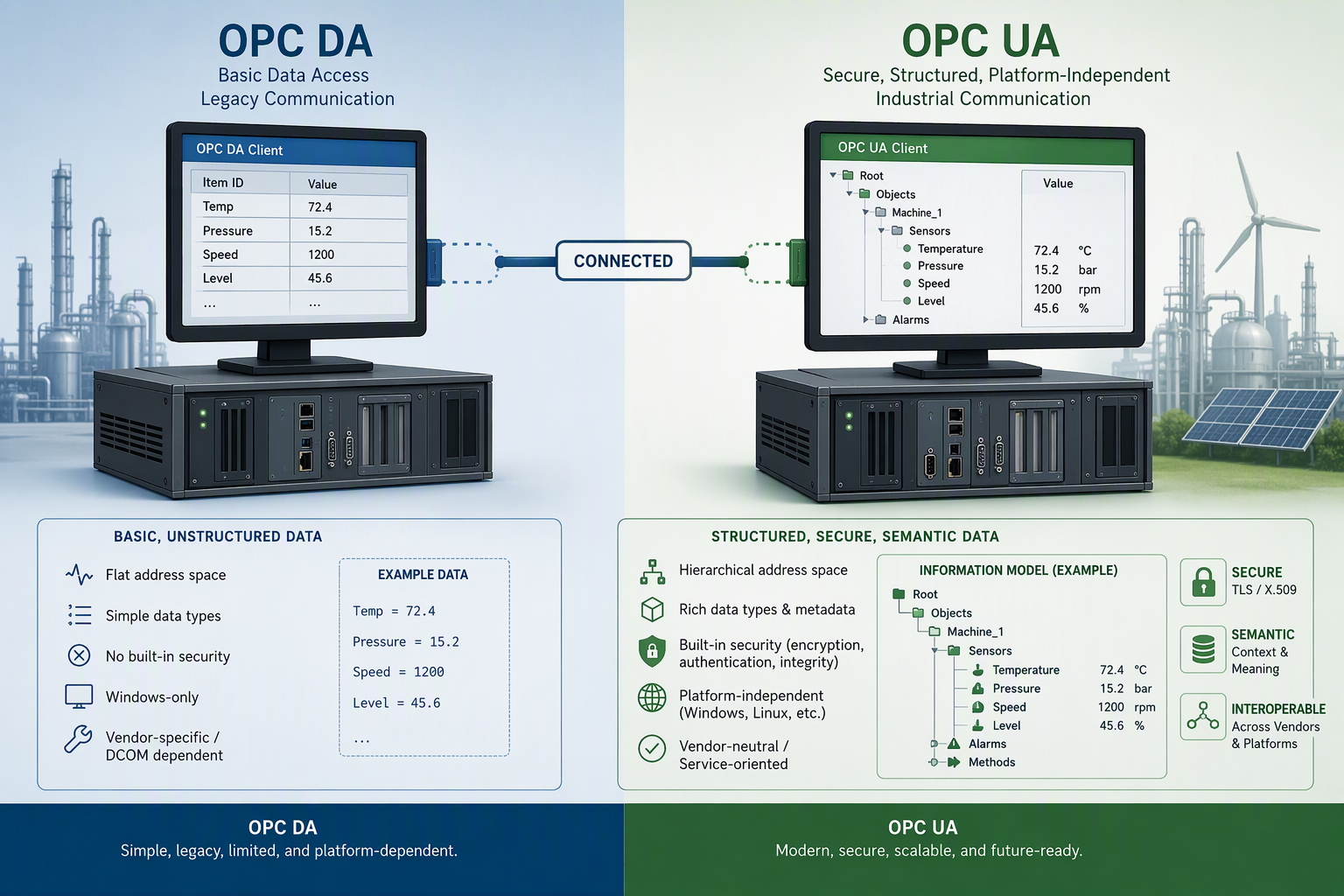
That difference matters in today’s automation systems. Many manufacturers need more than tag reads on a local network. They need flexible data structures, better interoperability, and support for edge or cloud integration. Next, we will look at what OPC UA is and where it brings the most value.
What Is OPC UA?
OPC UA stands for Open Platform Communications Unified Architecture. It is a modern communication protocol designed for secure, interoperable data exchange across industrial devices, software applications, and systems from different vendors. In the OPC family, it is the successor to OPC Classic.
What makes it different is scope. OPC UA does not just move values from point A to point B. It supports information models that describe equipment, structure, relationships, and meaning. That helps turn isolated tags into usable machine data for open automation.
From a plant perspective, OPC UA brings multiple older functions into one architecture. It can support real-time values, historical data, alarms, methods, and broader interoperability in one framework. That makes it a strong fit for manufacturers building modern, connected systems that need both flexibility and secure communication.
Key Features of OPC UA
A big reason manufacturers move to OPC UA is that it was designed for current needs, not retrofitted later. The OPC UA protocol supports secure communication, richer modeling, and platform independence from embedded devices to enterprise infrastructure.
Security is one of its biggest strengths. OPC UA includes built-in controls for authentication, encryption, auditing, and message integrity. That gives it a clear advantage over OPC DA in environments where cybersecurity and network segmentation matter.
Important features include:
- Built-in security policies for authenticated sessions
- Message signing to verify data integrity
- Encryption options for protected data exchange
- Companion specifications for standardized machine models
- Support for multiple transports, including TCP, HTTPS, WebSockets, and Pub/Sub
So yes, OPC UA does offer better security than OPC DA. It was built to make secure industrial connectivity part of the standard.
Typical Use Cases for OPC UA in US Manufacturing
In US manufacturing, OPC UA is often used when data needs to move beyond a single HMI or SCADA node. It fits projects where machine data must support visibility, analytics, and coordination across operations, engineering, and business systems.
You will see strong value when an OPC UA client needs to connect to structured plant data securely and consistently. That is especially useful in industrial internet of things projects, remote monitoring, and plants adding modern software layers above the control level.
Typical use cases include:
- Connecting shop floor systems to MES and ERP platforms
- Supporting cloud integration for production analytics
- Feeding edge gateways for OT and IT data sharing
- Standardizing machine data from different vendors
- Enabling remote equipment monitoring with secure access
If your operation is planning growth, cross-platform access, or enterprise systems integration, OPC UA is usually the better long-term fit.
OPC DA vs OPC UA: A Practical Comparison
When you compare OPC DA vs OPC UA, the biggest differences show up in architecture, security, and long-term flexibility. Both can handle process data and support data exchange, but they do not do it in the same way or for the same operating conditions.
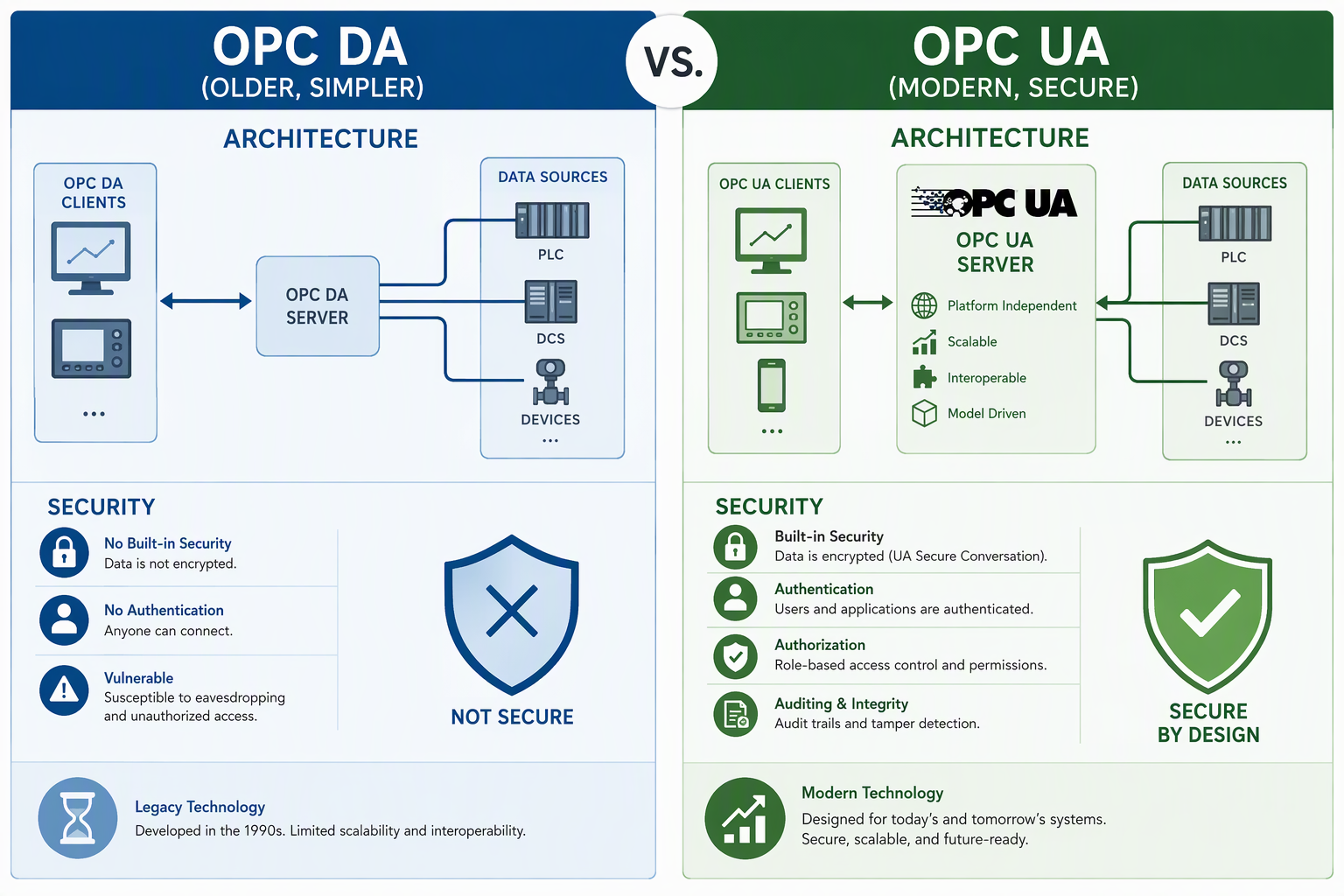
For a manufacturer, this is not just a technical debate. It affects maintenance effort, future integration, and cybersecurity exposure. The sections below break the comparison into protocol behavior, security, performance, and migration factors so you can evaluate each communication protocol more clearly.
Protocol Differences and Technical Specs
At the protocol level, OPC DA and OPC UA were built on different foundations. OPC DA depends on Microsoft’s component object model and DCOM. OPC UA replaces that dependency with a service-oriented design that supports broader deployment options and more modern technical specs.
Another difference is data representation. OPC DA mainly exposes tags and current values. OPC UA uses an address space with objects, variables, methods, relationships, and richer data types. That helps clients understand not just a value, but what that value means.
| Feature | OPC DA | OPC UA |
|---|---|---|
| Platform support | Windows only | Cross-platform |
| Core transport | COM/DCOM | TCP, HTTPS, WebSockets, Pub/Sub |
| Data model | Flat tags | Structured address space |
| Methods | Not supported | Supported |
| Security | Relies on DCOM mechanisms | Built-in authentication and encryption |
These are the main differences between OPC DA and OPC UA in practical plant use.
Security Capabilities: OPC UA vs OPC DA
Security is one of the clearest dividing lines in OPC DA vs OPC UA. OPC DA relies on Windows DCOM session security, which hides many details and was not built around today’s industrial cybersecurity expectations. That creates risk, especially across segmented networks or multi-system environments.
OPC UA was built with security in mind. It supports controlled trust between applications, protected sessions, and verified communication. For manufacturers dealing with broader connectivity, that can reduce exposure and simplify audit expectations.
Key OPC UA security capabilities include:
- Defined security policies for connection control
- Message signing to detect tampering
- Encryption for protected data exchange
- Application authentication using certificates
- User authentication and audit support
So, does OPC UA offer better security than OPC DA? Yes. Based on the architecture itself, OPC UA provides stronger built-in protection for modern manufacturing environments.
Performance & Scalability Considerations
Performance questions usually depend on where and how the protocol is used. OPC Classic has long been known for strong real time behavior in process control, especially in simple, local Windows environments. That is one reason many plants kept it in place for years.
Still, scalability tells a different story. OPC UA may bring more CPU and memory overhead, but it also supports modern architectures, richer data handling, and broader deployment. That makes it better suited for systems that need to grow beyond a single local connection.
Consider these tradeoffs:
- OPC DA performs well in simple legacy setups
- OPC UA adds overhead due to security and richer services
- OPC UA scales better across edge, enterprise, and cloud layers
- OPC UA supports one-to-many distribution through Pub/Sub
- OPC DA becomes harder to manage as networks expand
So yes, there are performance differences, but the bigger distinction is scalability over time.
Compatibility and Migration Factors
Many manufacturers cannot replace everything at once. That makes compatibility and migration planning critical. The good news is that OPC UA does not require you to scrap all legacy systems on day one. Both technologies can coexist during a transition.
A practical path often uses wrappers or industrial gateways to translate OPC DA data into OPC UA. That lets you preserve existing equipment while preparing for newer systems, cloud platforms, and stronger network security. It also reduces pressure on operations teams.
Typical migration factors include:
- Inventory existing OPC DA connections and dependencies
- Identify where DCOM issues create immediate risk
- Use wrappers or gateways to convert DA to OPC UA
- Prioritize systems needing enterprise or cloud access
- Phase upgrades to protect production uptime
That is usually how migration steps from OPC DA to OPC UA work: assess, bridge, prioritize, and modernize in stages.
Beginner’s Guide: How to Decide Between OPC DA and OPC UA
Choosing between OPC DA and OPC UA starts with your plant reality, not a generic checklist. You need to look at infrastructure, software, security, and how your client application will use data exchange inside a real industrial automation environment.
Some facilities need a short-term answer for legacy assets. Others need a long-term architecture for growth. The sections below walk through what to gather, how to evaluate your needs, and how to plan the next step without overcomplicating the decision.
What You’ll Need to Get Started (Resources, Equipment, Software)
Before you choose a protocol, gather a clear picture of your environment. That means understanding which equipment is producing data, which software applications consume it, and whether your current architecture is locked into older Windows tools or ready for broader connectivity.
You should also identify how data is exposed today. Do you already have an OPC server in place? Are your devices using built-in server functions, or do you rely on separate middleware? Knowing that will shape the most practical direction.
Useful resources to gather include:
- A list of connected equipment and industrial devices
- Current OPC server or DA server software details
- Existing SCADA, HMI, MES, or historian software applications
- Network and operating system requirements
- Any planned OPC UA client, gateway, or integration tools
With those basics in hand, you can compare options based on facts rather than assumptions.
Step-by-Step Guide to Choosing the Right Protocol
A good protocol decision starts with the job you need it to do. Are you moving simple process data inside one facility, or are you building a broader communication protocol strategy that includes analytics, enterprise access, and future expansion?
You do not need to guess. Break the decision into a few practical checks tied to business and technical needs. That helps you avoid overbuilding and also prevents you from keeping a legacy approach that will create problems later.
Use this simple path:
- Review current systems and dependencies
- Define required data types and data exchange patterns
- Check security and network expectations
- Identify future integration and growth needs
- Compare short-term cost with long-term maintenance
If your use case is narrow and stable, OPC DA may still work. If your needs are broader or growing, OPC UA is usually the stronger choice.
Step 1: Assessing Existing Infrastructure
Start with your installed base. Look at the operating system used by your servers, the age of your control systems, and the communication paths between applications. This step often reveals whether you are dealing with isolated legacy systems or a plant already pushing toward wider integration.
You should also map your industrial devices and the software layers above them. Some PLCs or gateways may already support OPC UA natively. Others may depend on an older OPC DA server running on Windows. That difference matters right away.
If most of your infrastructure is local, Windows-based, and stable, OPC DA may remain workable in the short term. If you have mixed platforms, new devices, or plans for broader connectivity, your current setup is already pointing you toward OPC UA.
Step 2: Identifying Application Requirements
Next, focus on what the application actually needs. Some use case requirements are simple: read a few machine values, write setpoints, and display status in an operator screen. In that situation, a basic data exchange model may be enough.
Other application requirements are broader. You may need structured machine data, methods, historical access, alarm context, or standardized interoperability across multiple vendors. That changes the protocol fit quickly because the scope goes beyond simple tags.
Ask yourself a few direct questions. Is this only for local process control? Will data move into MES, ERP, or analytics tools? Do you need richer context around assets and parameters? In industrial automation, the best choice comes from matching the protocol to the real use case, not just the existing habit.
Step 3: Evaluating Security and Future Scalability
Security cannot be an afterthought, especially when data exchange crosses system boundaries. If your architecture stays on one isolated local network, your immediate concerns may be lower. But if users, applications, or equipment connect across broader networks, the security gap becomes much more important.
This is where OPC UA stands out. Its built-in security policies, authentication options, encryption, and audit capabilities were designed for modern industrial use. OPC DA was not. That matters even more as Microsoft hardening changes make older DCOM-based connections harder to maintain.
Think about your future, not just today’s uptime. Will your operation add remote monitoring, cloud services, or edge computing? Will more systems need access to the same data? If the answer is yes, scalability and security strongly favor OPC UA over a long-term reliance on OPC DA.
Step 4: Planning for Integration and Migration
Once you know where you are and where you need to go, build a phased plan. Integration does not need to happen all at once. In many plants, the best route is to leave stable legacy assets in place while creating a path for newer systems to consume data through OPC UA.
Migration often starts with wrappers or gateways that translate OPC DA into OPC UA. This approach protects existing investments and supports data exchange with software, edge tools, and equipment from different vendors without forcing a full rip-and-replace project.
A solid migration plan usually prioritizes the most exposed or valuable connections first. That may include networked DA links impacted by DCOM hardening, systems needing cloud or enterprise integration, or production areas scheduled for controls upgrades. In most cases, the move to OPC UA works best as a staged modernization effort.
Conclusion
In conclusion, understanding the differences between OPC DA and OPC UA is crucial for anyone involved in industrial connectivity. As technology evolves, so do the requirements for data access and security in manufacturing environments. By choosing the right protocol, you can enhance performance, scalability, and compatibility with existing systems. Remember to assess your infrastructure and application needs carefully to ensure a smooth transition. Whether you lean towards OPC DA for its simplicity or opt for the advanced features of OPC UA, being informed will help you make the best decision for your operations. If you have any questions or need further assistance, feel free to reach out for guidance!
You might also like